Birthday party food tent cards help guests identify snacks without moving serving dishes or guessing what is inside them. The most useful cards are small, stable, and readable from across a buffet table. Clipart can establish the party theme, but the food name and any safety note must stay visually dominant.
The Original Dinosaur Birthday Adventure set is a strong match for a cheerful birthday buffet: its 40 transparent PNGs include dinosaur characters, cake, party details, and decorative motifs. For a bright candy-table alternative, the Halloween Candy Piñata Craft Parade set provides 120 transparent PNGs with colorful piñata characters, candy carts, and paper-fringe shapes. Both products supply PNG artwork, not editable food-label templates, printed cards, food, or verified ingredient information.
Make it with these Bokaja sets
These sets supply PNG artwork. Add your own text and arrange the illustrations to make the example shown; the finished template is not included.
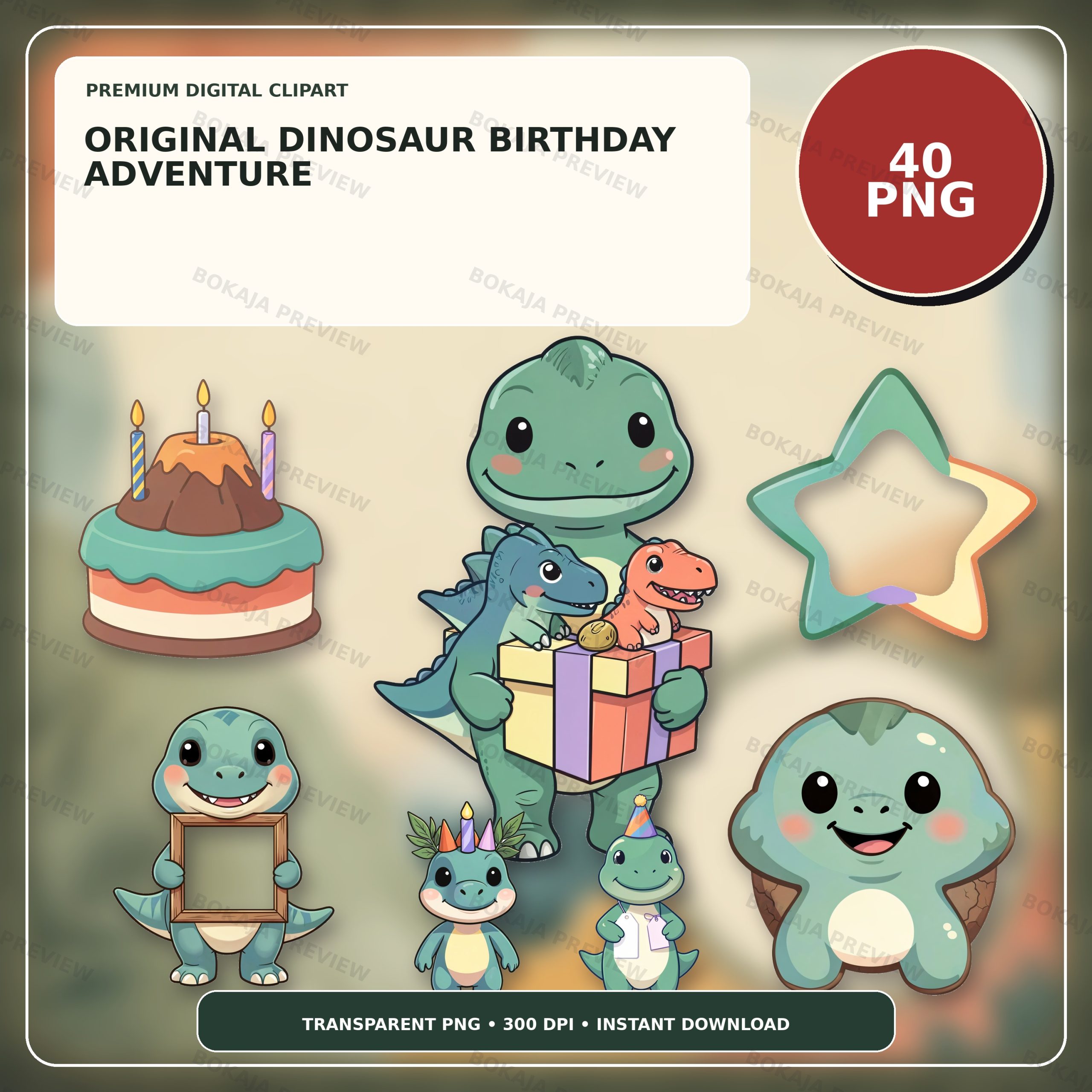
Quality V2 — Original Dinosaur Birthday Adventure
Its 40 transparent dinosaur, cake, and party PNGs directly support the worked birthday buffet labels while leaving room for the host’s own food wording.
View this PNG set →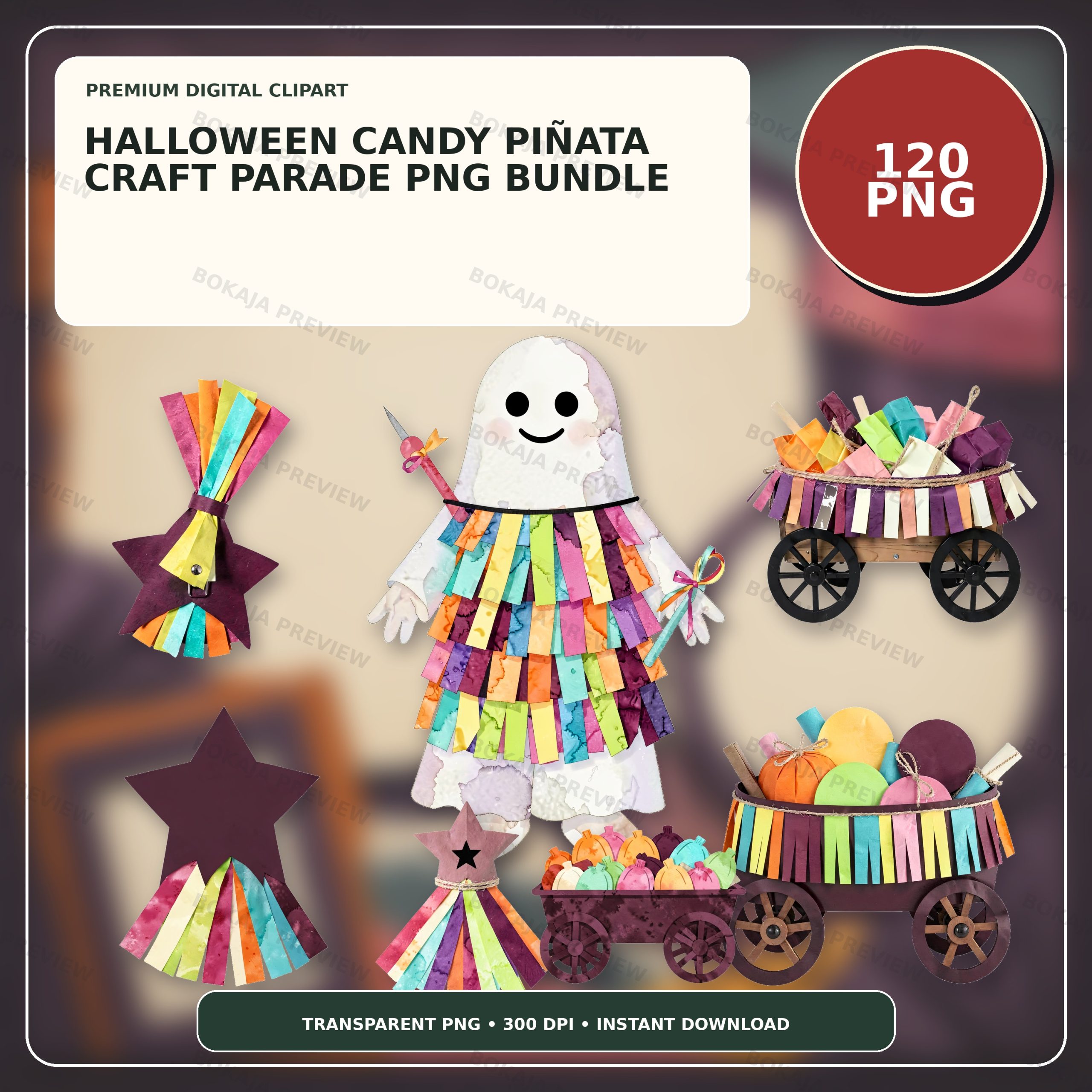
Halloween Candy Piñata Craft Parade Clipart – 120 PNGs
Its 120 transparent candy-cart, piñata, and paper-fringe PNGs provide a relevant bright alternative for candy-table and October-party labels.
View this PNG set →Decide what every card must communicate
Start with the guest’s question: “What is this?” Write the plain food name first. If the host needs a short flavor note, place it below in a smaller line. Keep jokes or themed names secondary; “Dino Bites” is fun, but “cheese crackers” is more useful when the dish itself is not obvious.
Treat allergen and dietary labels carefully. Artwork cannot establish that food is allergen-free, vegan, halal, gluten-free, or suitable for a particular guest. Copy wording only from the host, caterer, packaging, or another responsible source. When cross-contact matters, a brief card is not a substitute for a direct conversation with the responsible person.
Use a simple hierarchy:
- 1. Food name: largest and darkest text.
- 2. Flavor or short description: one optional line.
- 3. Host-confirmed dietary or allergen note: concise, specific, and easy to find.
- 4. Decorative PNG: supportive, never behind the wording.
Build a measured 4 × 4-inch layout
Create a 4 × 4-inch square at the final intended size. Add a horizontal guide at 2 inches. The lower half becomes the visible front panel; the upper half forms the back. Keep a 0.2-inch safe margin around all outer edges and leave at least 0.15 inch clear on both sides of the fold so letters, faces, and small details do not sit in the crease.
At 300 pixels per inch, a 4 × 4-inch raster canvas is 1200 × 1200 pixels. That pixel count is useful for export planning, but it does not force a printer to use the correct physical size. Set the document dimensions first, export at the intended scale, and verify the print dialog rather than relying on a DPI label alone.
| Element | Working size | Placement | Final check |
|---|---|---|---|
| Flat card | 4 × 4 in | Whole canvas | Square before folding |
| Center fold | 2 in from top | Horizontal guide | Score cleanly; no key art on crease |
| Finished front | 4 × 2 in | Lower half | Food name readable first |
| Safe margin | 0.2 in | All outer edges | No clipped letters or art |
| Fold clearance | 0.15 in each side | Around center guide | No face or small text crosses fold |
For US Letter paper, four 4 × 4-inch cards can fit in a two-by-two arrangement only if your printer’s margins and the chosen cutting space allow it. A safer first proof is one or two cards on a page with visible trim marks outside the design. Never place trim marks inside the artwork area.
Follow the worked dinosaur example
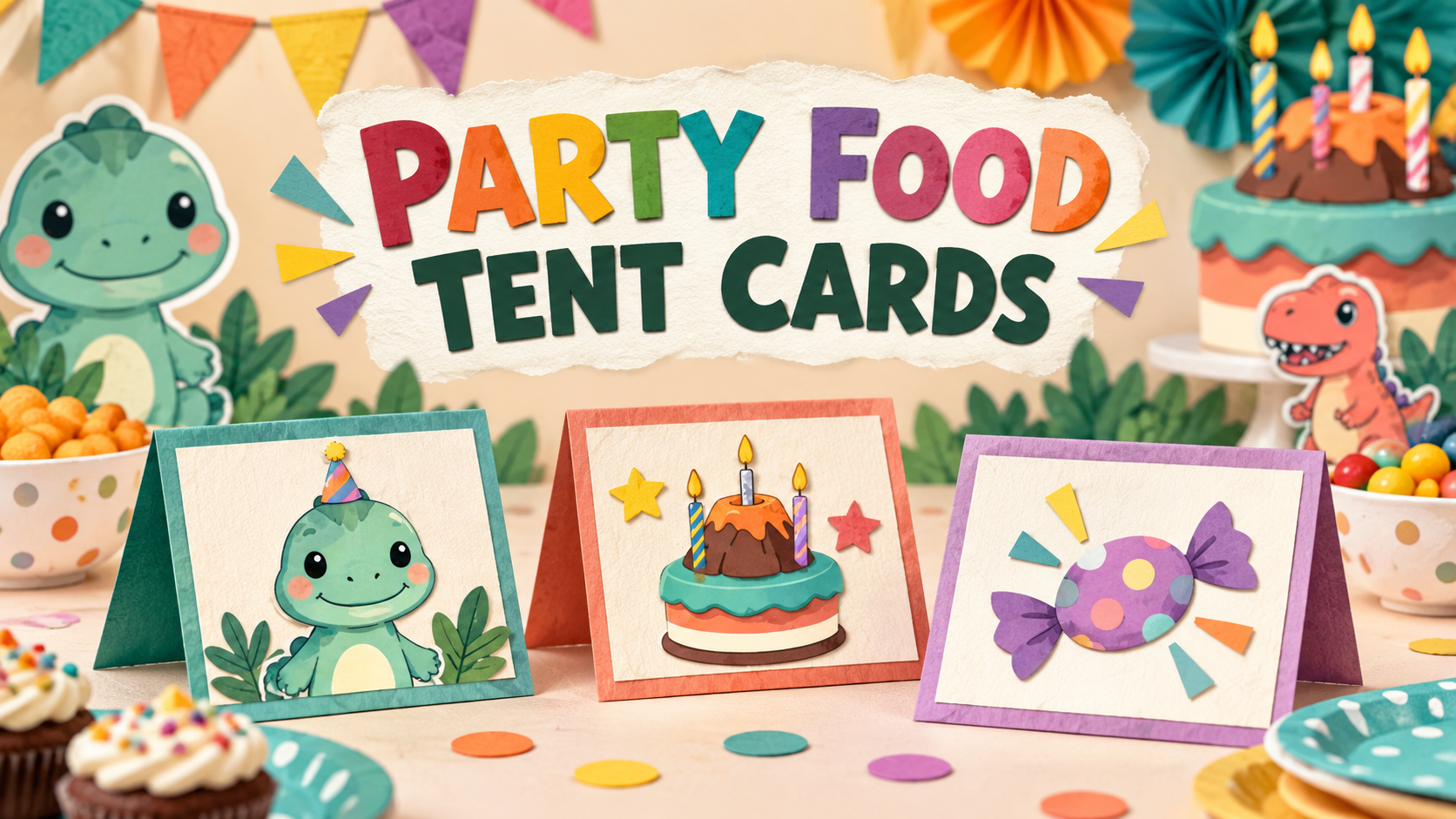
The example below shows the same card both flat and folded. The flat artwork is 4 × 4 inches with a fold at 2 inches; the standing front is 4 × 2 inches. “Dino Bites” is an illustrative party label, not a downloadable template or a claim that a physical print was tested.
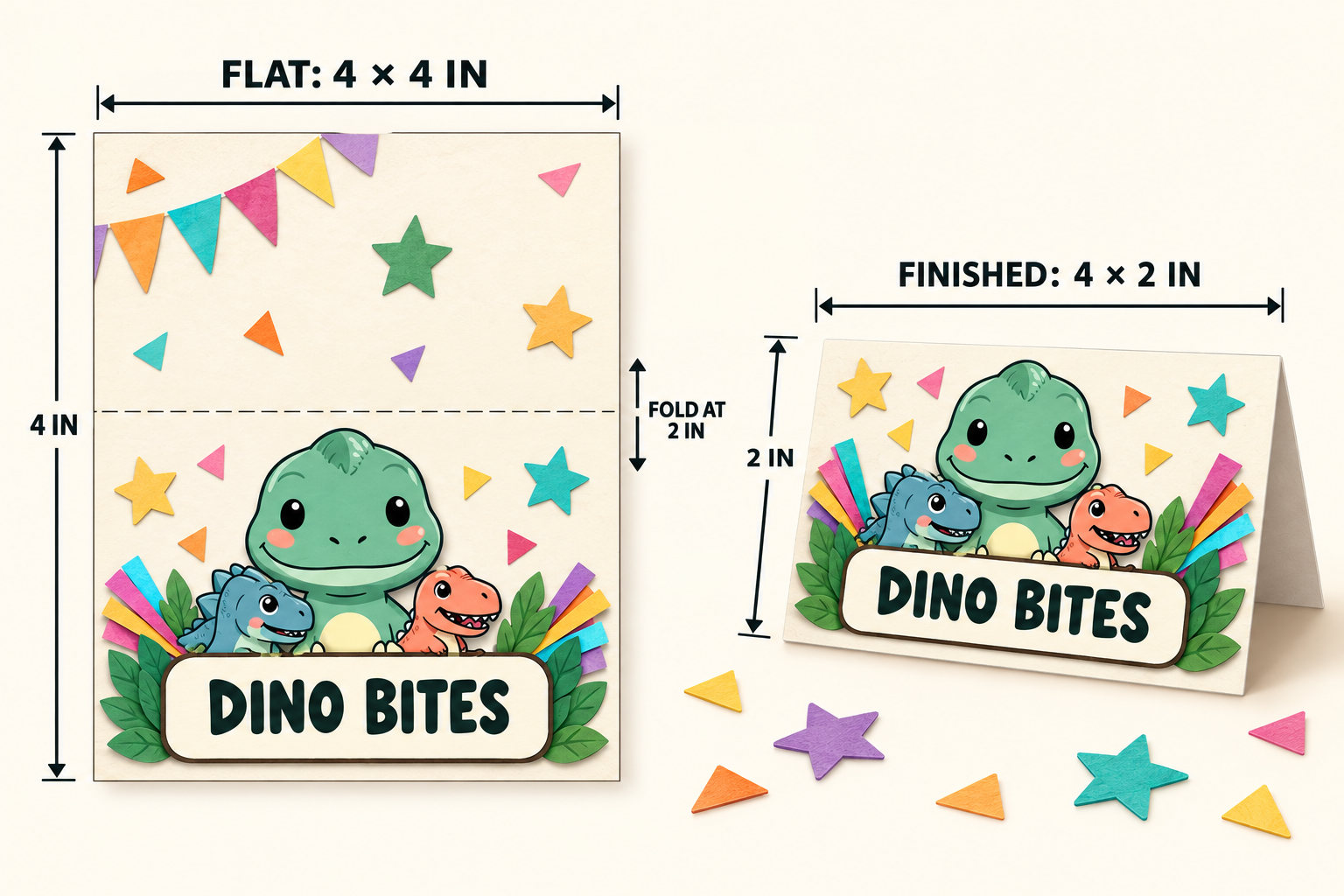
Place the food-name box in the lower half and center it horizontally. Keep the dinosaur group above or beside the wording, leaving enough contrast around every letter. Duplicate the page only after one card is correct. Change the food name, confirm any note, and swap or reposition one illustration at a time so the set remains consistent.
The finished card shown is an illustrative layout made with artwork informed by the real Bokaja product preview. Buyers receive the underlying PNG artwork described on the product page; they do not receive this assembled card design, the label text, a print-ready template, or a physical item.
Choose type that survives the real table
A card may look clear while zoomed in and still fail at normal viewing distance. Use a simple, high-contrast typeface for the food name. Start around 24–32 points for a 4-inch-wide card, then print at final size and place it where guests will stand. Increase the text before shrinking the margins.
Avoid long centered paragraphs. If a card needs more than two short lines below the food name, move supporting details to a separate menu or ingredient sheet. Use sentence case or title case instead of all caps for long wording. A cream or white text panel usually gives themed illustrations enough breathing room.
For a dinosaur party, repeat two or three colors from the Dinosaur Birthday Adventure artwork across every card. For a candy table, the paper-fringe accents in the Halloween Candy Piñata Craft Parade artwork can frame the label, but keep the host’s confirmed food information on a quiet solid panel.
Print, score, fold, and place safely
Export the layout without changing its physical dimensions. In the print dialog, choose the correct paper size and use 100% or “actual size” when that matches your printer workflow. If the page is unexpectedly enlarged or reduced, use the printable sizing troubleshooting guide before cutting the batch.
Cut on the outside edge, then score the center line with an appropriate scoring tool and surface. Fold the card so both 4-inch edges meet. If the card spreads flat, use heavier paper supported by your printer or a discreet removable fastening method chosen by the host. Keep loose cards away from candles, hot dishes, drink spills, and serving utensils.
Do not claim a print has been tested unless you actually printed it on the named printer, paper, and settings. The dimensions in this guide are a measured starting layout. Paper grain, coating, printer margins, ink coverage, and room lighting can change the real result.
Troubleshoot common tent-card problems
The fold cuts through the artwork. Move the art farther into the front panel and keep the 0.15-inch fold-clearance zone empty. Do not solve the problem by scaling the entire card smaller after the text has been approved.
The label is hard to read. Remove background texture behind the wording, darken the type, shorten the themed name, or increase the food-name size. Check the card at normal table distance, not only on screen.
The PNG has a pale box or halo. Preview it on both light and dark backgrounds and follow the PNG transparency quality guide. Keep the source PNG rather than flattening it onto an accidental background too early.
The printed card is the wrong size. Confirm that the file is 4 × 4 inches, the page matches the printer paper, and automatic “fit” scaling is off when actual size is required. The PNG print-size guide explains the relationship between pixels and intended inches.
Guests still ask what the dish contains. Replace a playful title with a plain food name and provide a separate host-approved ingredient sheet when needed. Never infer dietary or allergen status from a recipe name or illustration.
Birthday food tent card checklist
- ☐ Confirm the food name and any dietary or allergen wording with the responsible host or caterer.
- ☐ Create a 4 × 4-inch canvas with a horizontal guide at 2 inches.
- ☐ Reserve a 0.2-inch outer margin and a 0.15-inch clearance zone around the fold.
- ☐ Keep the food name larger and higher contrast than the artwork.
- ☐ Use one coordinated PNG family and avoid crowding the front panel.
- ☐ Export without changing the intended physical size.
- ☐ Print one final-size proof, score it, fold it, and check it at table distance.
- ☐ Keep cards away from flames, heat, spills, and serving utensils.
- ☐ Review the Bokaja digital product license before selling permitted finished physical items.
Product choices for this project
Product example:
Use the 40-image Original Dinosaur Birthday Adventure set for cake, snack, and drink cards at a dinosaur-themed birthday. Its party-focused characters and cake artwork suit the worked example while leaving room for the host’s own wording.
Use the 120-image Halloween Candy Piñata Craft Parade set when a bright candy-table or October-party style is more relevant. Its paper-fringe, candy-cart, and piñata motifs work as accents around short labels.
Each product is a digital PNG collection. Nothing physical is shipped, and the assembled food tent card shown here is not included. After checkout, use the attached order-download PDF to access the files. Read Digital Downloads and Refunds for current access and support details, and review the digital product license before using the artwork on items for sale.
Related Bokaja tutorials
- How to Make Birthday Invitations With Clipart
- How to Make Cupcake Toppers With PNG Clipart
- How to Make Party Favor Tags
- How to Make a Printable Birthday Banner
- Why Your Printable Is Printing at the Wrong Size
- How to Check PNG Transparency Before You Print
FAQ
Do the Bokaja products include editable food tent card templates?
No. The products provide transparent PNG artwork. You create the card size, food wording, safety information, folds, and print layout yourself.
What size should a birthday party food tent card be?
A practical starting point is 4 × 4 inches flat and 4 × 2 inches after folding. Adjust only after checking the serving table, viewing distance, printer margins, and the amount of verified wording you need.
Can I put allergen icons on the cards?
Only use information confirmed by the person responsible for the food. An icon cannot guarantee an allergen-free dish or rule out cross-contact, so provide a direct way for guests to ask when needed.
Can I sell printed tent cards made with Bokaja PNGs?
Review the digital product license first. A permitted finished physical product is different from reselling, sharing, uploading, extracting, or repackaging the original PNG or ZIP files.