A birthday invitation succeeds when guests can find the date, time, place and response details without searching through decoration. Build those facts first, then use clipart to establish the mood. The invitation is a communication tool before it is a miniature poster.
Choose Dinosaur Birthday Adventure for the featured invitation, or Puppy Birthday Bakery for a bakery-party variation. Both are paid PNG artwork collections for layouts you design yourself; add your own text, shapes and measurements.
Make it with these Bokaja sets
Choose the style that fits your project. These are digital PNG artwork collections: add your own text and build the layout shown in this guide.

Dinosaur Birthday Adventure
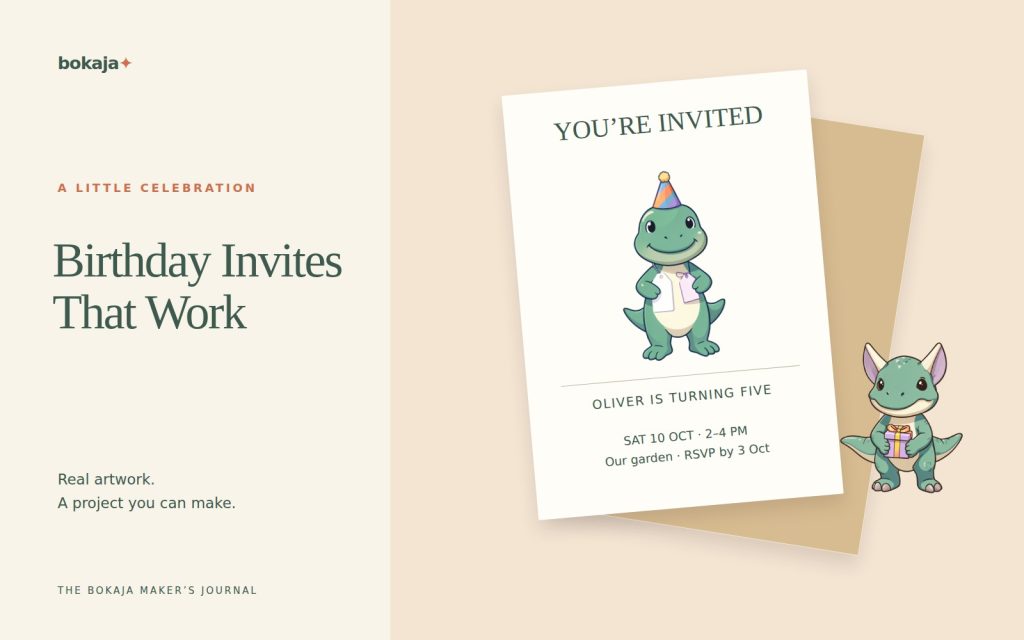
Dinosaur birthday artwork for the featured invitation.
Puppy Birthday Bakery
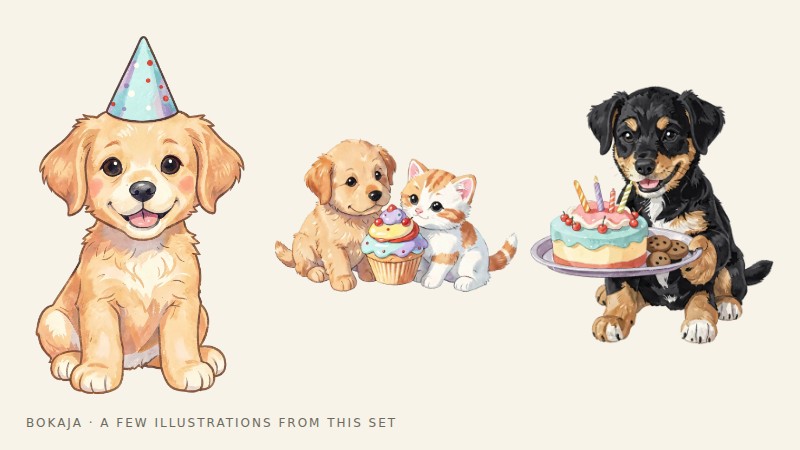
Puppy birthday artwork for a bakery-party variation.
Worked example: a dinosaur invitation with a clear information block

Make a 5 × 7-inch portrait card using one dinosaur-birthday PNG. Keep the essential words inside quarter-inch margins, giving a 4.5 × 6.5-inch safe area. If your printer requires bleed, add it according to the production template without moving the safe text outward.
Use three horizontal zones: a 1-inch heading zone, a 2.5-inch illustration zone and a 3-inch information zone. These fill the 6.5-inch safe height. Place a roughly 2-inch-wide illustration in the middle zone, preserving its proportions and checking that its height fits.
Write the event block before adjusting the artwork. A useful order is:
- Person and occasion.
- Day, full date and start/end time.
- Venue and complete address.
- RSVP contact and deadline.
- One genuinely necessary practical note.
For a fictional layout, “Milo turns 6” can be the large heading. Use clearly temporary event details in the working document and replace them through a checklist before export. Do not let a placeholder date become believable simply because it is attractively typeset.
Start the main details around 14–16 points and keep the address together. If the venue requires three lines, borrow space from the illustration zone. The guest should not need to zoom in to find the location.
For a 300-PPI image version without bleed, the complete card is 1500 × 2100 pixels. Reopen the export and read the smallest text on a phone as well as on a printed proof. If the same image will be sent digitally, accompany it with the date, address and RSVP as ordinary text.
To make a puppy-themed version, replace the dinosaur PNG and adjust the accent color, but keep the hierarchy and event block. This is a reusable invitation system, not a need to redesign every party from scratch.
Gather the complete event information
Write the guest-facing details in plain text: whose birthday, the event date, start and end times if relevant, venue, address, RSVP method and deadline. Add practical information only when guests need it, such as an outdoor plan or a request to mention dietary needs privately.
Confirm the venue and timing before printing. If the location is a private home, think about how widely the invitation will be shared. A public social post and a message sent to invited guests should not necessarily contain the same information.
Use a fictional draft while designing, then replace each field through a deliberate checklist. Decorative text can make an incorrect date look surprisingly convincing.
Choose the delivery format
For a printed invitation, select the envelope or finished card size first. A 5 × 7-inch card is a common example, but postage, paper and local envelope availability may favor another size.
For a digital invitation, consider the screen shape and whether the details remain readable on a phone. Keep a plain-text version of the essential information in the accompanying message rather than making guests extract everything from an image.
If you need both formats, adapt the layout for each. Cropping a print card into a phone-sized image can remove important details or make the text too small.
Add a theme with restraint
Choose one main illustration and perhaps one small accent. A dinosaur, cupcake, fairy or animal theme can establish the mood without surrounding every line with characters.
Keep the artwork’s proportions and check its useful pixel size before enlarging it. Use a plain area behind small text, particularly the address and RSVP details.
Design for the actual guest list
Choose a tone that fits the celebration and its guests. A first birthday invitation may be aimed mainly at adults, while an older child’s party can reflect the child’s own preferences. A theme need not be assigned by gender.
Avoid wording that leaves guests unsure whether siblings or additional adults are invited. State the relevant arrangement kindly and clearly. For accessibility or practical needs, provide a private contact route consistent with the event.
If several languages are needed, plan enough space and have the wording checked. Do not reduce a translated line to a decorative afterthought.
Proof the content and the production separately
Read the event details aloud from the final export. Check the calendar date against the day of the week, verify the address, and test the RSVP contact method.
For print, make one copy at the intended scale and place it in the chosen envelope. Check contrast and the smallest text under ordinary lighting. For digital delivery, view the image on a phone without zooming and check that the accompanying text is complete.
Save the editable version in case the event changes. If a detail changes after invitations have been sent, communicate the correction directly rather than silently replacing the image in a folder.
Finish with matching pieces only if needed
A favor tag or small welcome sign can reuse the same colors and illustration, but the invitation does not commit you to a large decorating project. The birthday decor budget guide can help keep the wider plan manageable.
Before selling invitations or editable files containing purchased artwork, read the current licence. Permission for some finished physical products is not blanket permission to distribute a digital template or its source PNGs.
Your next step
Save the checked event details separately from the themed layout. When anything changes, update the card and the plain-text invitation information together.
Start with Dinosaur Birthday Adventure, or choose Puppy Birthday Bakery for the alternative theme described above. These collections supply PNG illustrations for your own layout; the project text and construction remain yours.