Useful art-center labels make supplies, cleanup steps, unfinished work, and displays easier to identify. Decoration can make the system welcoming, but the words, symbols, contrast, and placement still have to do the practical work.
Start with a small rainbow-crayon visual set
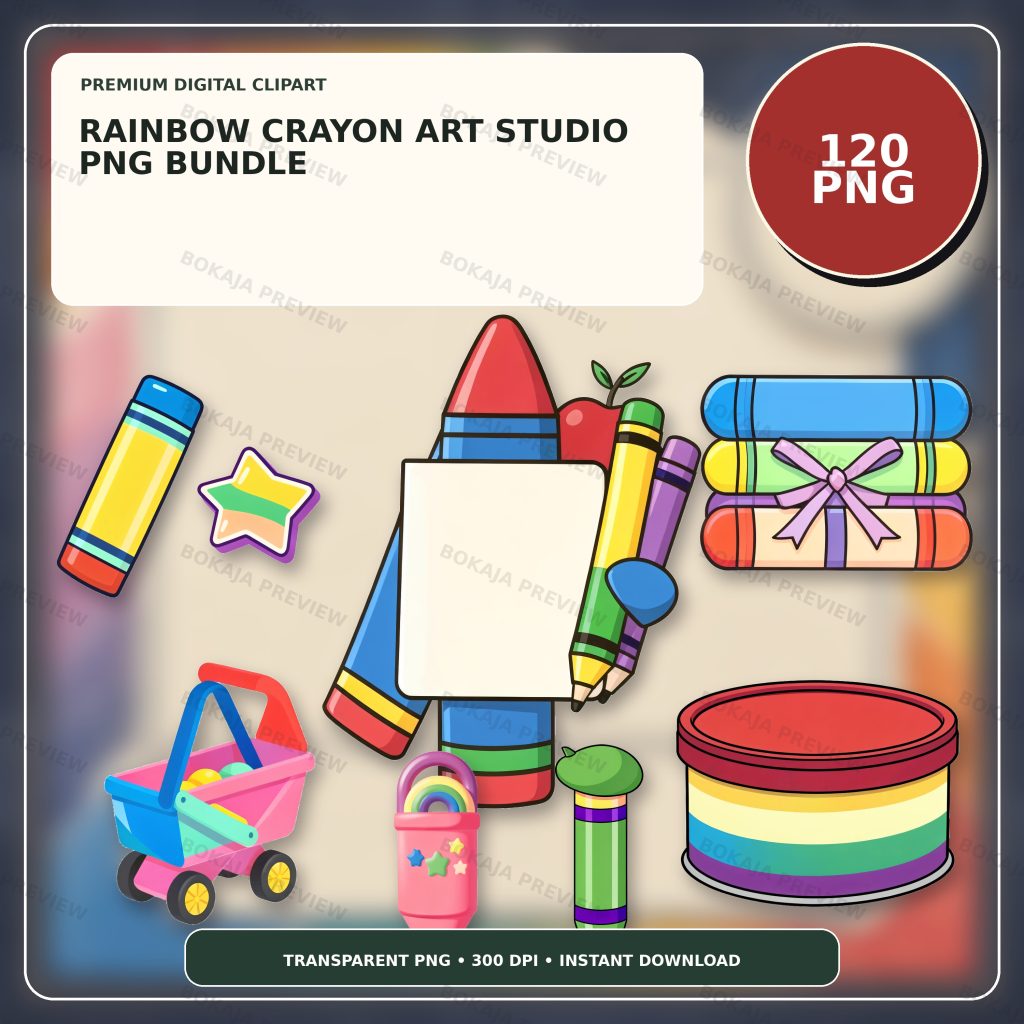
The Rainbow Crayon Art Studio PNG Bundle is a live, purchasable digital product with 120 transparent PNG graphics at 3072 × 3072 px and 300 DPI metadata. It uses generic smiling crayon and coordinated art-studio props without readable text, logos, or known characters.
These PNG graphics are decorative source material, not editable label templates or an accessibility system. Add supply names, sequence words, pupil information, dates, and captions as live text in Canva or another layout tool.
Choose one crayon graphic for headings and two small props for repeating markers. Using every color and character on every label can make the art center harder to scan. The classroom labels and teacher stickers tutorial offers a broader method for keeping text readable at shelf and room distance.
Art-center printable matrix
| Printable | Main job | Useful format | Essential design check |
|---|---|---|---|
| Supply-bin label | Identify one material or tool | Small landscape card | Word or symbol must remain readable without color alone |
| Color card | Sort pencils, crayons, or paper | Small square or vertical card | Add the written color name where appropriate |
| Cleanup card | Show one step in a sequence | Half-page card | Use a clear verb and editable step number |
| Work-in-progress tag | Mark unfinished work and next action | Quarter-page tag | Follow policy for pupil identifiers |
| Display caption | Explain a finished piece or prompt | Small caption card | Confirm name and display consent rules |
| Reward sticker | Recognize a specific process step | Small circle or square | Avoid claims about talent or outcomes |
The matrix helps match format to job. A label viewed across the room needs larger text than a tag held in the hand. A caption can carry more words than a supply bin, but it still needs a comfortable line length.
Build supply-bin labels from the words outward
List the actual materials in the art center before choosing artwork. Use the everyday name that pupils and staff recognize. A short label such as “washable markers,” “glue sticks,” or “scrap paper” is more useful than a decorative category that no one uses in conversation.
Place the words on a quiet background and add one small crayon or art prop beside them. Keep the illustration away from the first and last letters. Print one label, attach it to the actual bin, and check it from the approach path.
If the label is too crowded, remove decoration before shrinking the text. The Canva for beginners tutorial explains text layers, alignment, transparent PNG placement, and export settings.
Pair color cards with another cue
Rainbow artwork naturally supports color sorting, but color should not carry the meaning by itself. Add the written color name, a consistent symbol, a patterned border, or another cue appropriate to the learners and setting.
Check the card in grayscale and under the room’s normal lighting. A bright screen preview can hide weak print contrast. Do not claim that one visual treatment meets every accessibility requirement; ask the responsible organization which standards and accommodations apply.
Keep the color name editable so spelling, language, and capitalization can match the learning setting. Decorative crayon faces can make the card inviting, while the label text remains the authoritative cue.
Turn cleanup steps into short action cards
Write the real cleanup process as a list of verbs: return, sort, wipe, close, recycle, or wash. Give each card one action and one editable sequence number. Avoid vague phrases such as “make it perfect,” which do not explain what to do.
Place the cards in the order used in the room. Test the sequence with the actual materials and revise any step that assumes a sink, drying rack, or waste bin is somewhere else.
Follow the manufacturer’s instructions and organizational rules for art materials and cleaning products. A printable can prompt a routine, but it cannot determine whether a material is age-appropriate or safe for a particular learner.
Use work-in-progress tags for the next action
A work-in-progress tag can record a short next step: “paint is drying,” “needs name,” “continue tomorrow,” or “ready for mounting.” Keep that text editable and leave a clear writing area if the tag will be completed by hand.
Use only the pupil identifier permitted by the organization. If unfinished work is displayed in a shared or public area, apply the same privacy test used for finished displays.
The tag should not judge the quality of the work. Its job is to preserve context and help the maker or teacher identify the next action.
Write display captions without inventing claims
A practical display caption might include a title, material, prompt, technique, and date. Ask before publishing a pupil’s full name, photograph, quotation, or other identifying information. Display consent and privacy rules vary, so the organization’s policy must control the final design.
Keep captions factual. Do not invent an artist statement, learning result, award, or emotional meaning. If pupils contribute their own text, preserve their words accurately and follow the editing process approved by the teacher or organizer.
For image-edge checks before printing, use the PNG transparency and quality tutorial. Transparent graphics can still show halos or soft edges on a contrasting paper color.
Make reward stickers process-specific
Small stickers can recognize a completed process step: “tools returned,” “careful cleanup,” or “display ready.” Use them only when they fit the classroom approach and do not create an unwanted public comparison.
Avoid promises such as “creative genius,” “perfect artist,” or “best work.” A clear process label is more accurate and easier to explain. Test the words at final sticker size; if they blur, simplify the phrase or make the sticker larger.
Art-center production checklist
- ☐ Inventory the actual supplies and use their familiar names.
- ☐ Write all label and sequence text before adding artwork.
- ☐ Select one main crayon and two small repeated props.
- ☐ Pair color with readable words or another clear cue.
- ☐ Check contrast in color and grayscale.
- ☐ Put one action on each cleanup card.
- ☐ Confirm the sequence against the real room layout.
- ☐ Follow material and cleaning instructions from responsible sources.
- ☐ Use only approved pupil identifiers on tags and captions.
- ☐ Confirm display and photograph consent requirements.
- ☐ Print one supply label and one sticker at 100 percent scale.
- ☐ Save an editable master separately from the print-ready export.
- ☐ Review the Bokaja digital product license before selling finished physical items.
A soft product example
Product example: Put one rainbow crayon beside each section heading, use a paint or pencil prop on cleanup cards, and reserve a simple crayon face for small reward stickers. The Rainbow Crayon Art Studio PNG Bundle supplies a coordinated visual library while supply names, instructions, captions, and pupil information stay editable.
The product is digital; no physical labels or stickers are shipped. Its attached order-download PDF contains the download link for the ZIP package. See Digital Downloads and Refunds for current access and support details.
Related Bokaja tutorials
- How to Make Classroom Labels and Teacher Stickers
- Classroom Clipart Ideas for Teachers
- How to Use Canva for Beginners
- Canva vs Cricut for Transparent PNG Files
- How to Check PNG Transparency and Quality
FAQ
Are the crayon graphics editable label templates?
No. They are transparent PNG graphics. Build supply names, sequence steps, captions, dates, and pupil information in your layout software and keep that text editable.
Is color enough to identify every art supply?
Not always. Pair color with a readable word, consistent symbol, pattern, or another cue suitable for the setting. Follow the organization’s accessibility guidance.
Can I include pupil names on display captions?
Use only the name format and information approved by the school or organization. Confirm display, privacy, and photograph-consent rules before printing or publishing captions.
Do cleanup cards replace material-safety instructions?
No. Follow the product manufacturer’s directions and the organization’s safety procedures. A decorative card can prompt a known routine but should not invent safety advice.
Can I sell finished art-center labels made with these graphics?
Review the digital product license first. Do not resell, share, upload, extract, or repackage the original PNG or ZIP files as digital assets.