An apple-orchard classroom market can turn counting, sorting, labeling, and role-play into one coordinated fall learning center. The useful part is not covering every page with decorations. It is giving each printable a clear classroom job and keeping all essential words and numbers editable.
Start with one consistent orchard theme
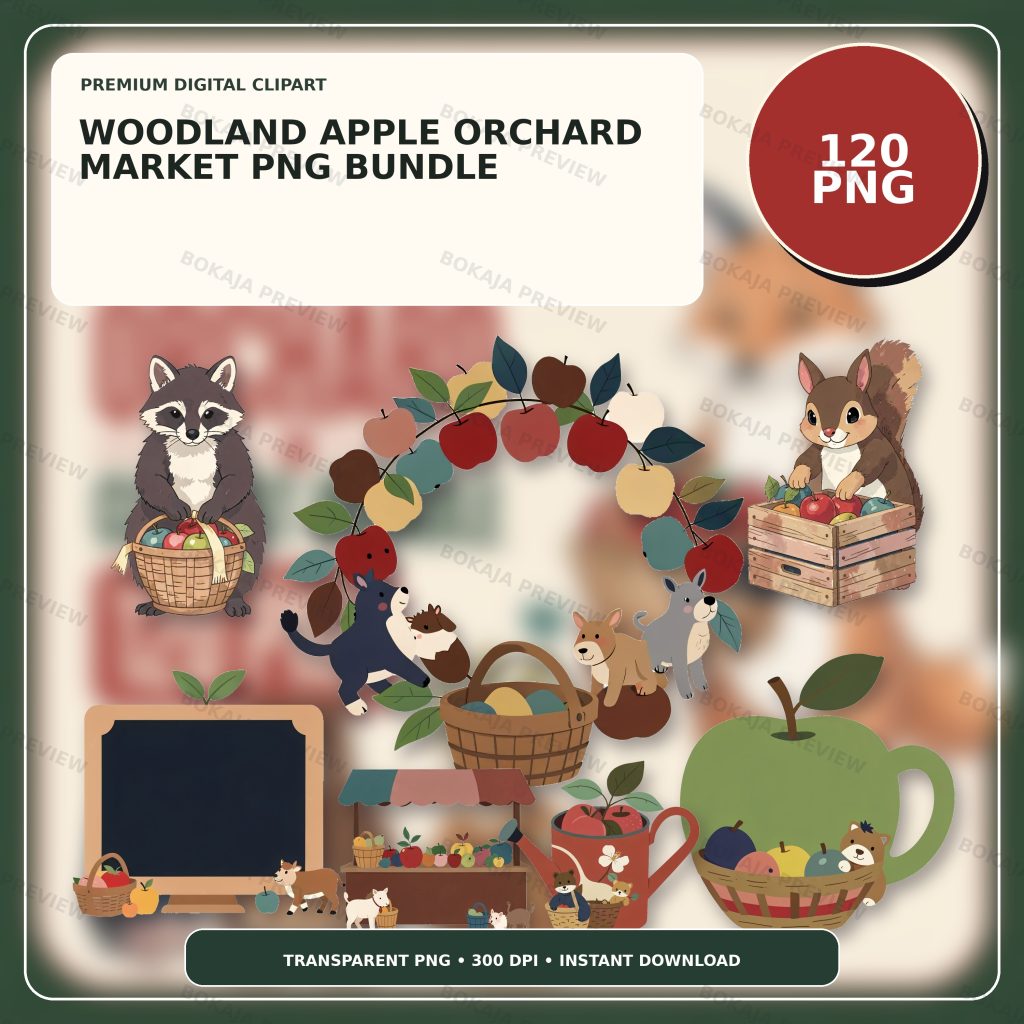
The Woodland Apple Orchard Market PNG Bundle is a live, purchasable digital product containing 120 transparent PNG graphics at 3072 × 3072 px with 300 DPI metadata. The collection includes generic woodland helpers, apples, baskets, fruit, and harvest-market props without readable text, logos, or known characters.
These PNG graphics are decorative source material, not editable worksheets or finished market templates. Add prices, instructions, pupil names, number prompts, and learning goals as live text in Canva or another layout tool. If the text remains editable, you can correct a price, simplify a direction, or prepare different number ranges without rebuilding the artwork.
Choose one apple graphic, one basket or market prop, and one woodland helper as the repeating visual set. A small, consistent group makes the different activities feel connected and leaves more room for readable learning content.
Apple-orchard learning-center matrix
| Printable | Classroom job | Useful finished size | Essential text or safety check |
|---|---|---|---|
| Produce-bin label | Sort apples, colors, or pretend produce | Half-page or landscape card | Category must be readable from a distance |
| Price card | Practice number recognition and simple money work | Small standing card | Use the currency and number range you teach |
| Counting mat | Match counters to a quantity | A4 or US Letter | Leave clear working space |
| Reward token | Mark participation or completed stations | Small card or circle | Keep wording factual and encouraging |
| Planner sticker | Mark orchard week or center rotation | Small sticker-paper shape | Test tiny text at print size |
| Take-home tag | Explain the activity to families | Quarter-page tag | Put instructions before decoration |
This matrix is a planning filter. You do not need every piece. Younger learners may use sorting labels and counting mats, while older pupils can work with price cards and simple totals. Match the activity to your curriculum, classroom rules, and learners rather than assuming one design works for every age.
Build the produce labels first
Produce-bin labels establish the color palette and type style for the rest of the set. Use a short category such as “red apples,” “green apples,” “baskets,” or “market tools.” Place the words on a clean background and add one small graphic beside them.
Print one label and place it on the actual bin, tray, or shelf. Step back to the normal viewing distance. If the words are difficult to read, reduce the illustration before reducing the type. The broader classroom labels and teacher stickers tutorial explains the same distance test for other classroom systems.
Avoid placing essential instructions inside a decorative image. Screen readers cannot interpret words baked into a picture, and small rasterized text can become soft when resized.
Turn labels into price cards and counting mats
Duplicate the label’s heading font, border color, and one recurring orchard graphic. On each price card, use a large number and a short item name. Choose familiar currency symbols only when they fit the learning goal, and explain whether the market uses real money, play money, counters, or number cards.
A counting mat needs more open space. Create a clear quantity prompt at the top, then leave a large area where pupils can place counters, paper apples, or reusable pieces. Decorative apples can mark corners, but they should not look like part of the quantity pupils are meant to count.
For a simple sequence, ask pupils to choose a price card, count the matching number of pieces, and place them in the correctly labeled bin. Teachers can vary the number range without changing the visual system.
Add reward tokens without promising outcomes
Reward tokens can recognize participation, careful sorting, teamwork, or completing a station. Keep the wording specific: “market helper,” “careful counter,” or “station complete” is clearer than a claim about intelligence or behavior.
Decide whether tokens are private, collected by a group, or taken home. Follow your classroom policy and avoid making public comparisons that may embarrass pupils. The artwork can make the token inviting, but the learning and behavior expectations still need to be explained directly.
The reading reward chart printables guide offers another example of using coordinated graphics while keeping progress information readable and appropriately handled.
Prepare planner stickers and take-home tags
Planner stickers work best when the image remains recognizable at a small size. Use one apple, basket, or woodland helper and only a few words. Arrange several designs on a test sheet and print it at 100 percent scale before preparing the final page.
Take-home tags need more explanation. State what pupils practiced, whether any home action is optional, and how reusable classroom pieces should be returned. Put that information in editable text. Add an orchard graphic only after the message fits comfortably.
If you are new to building layouts, the Canva for beginners tutorial covers transparent PNG placement, text layers, spacing, and export checks.
Fall classroom production checklist
- ☐ Choose only the market pieces your learning center needs.
- ☐ Write all labels, prices, prompts, and directions first.
- ☐ Select two or three repeating orchard PNG graphics.
- ☐ Keep decorative artwork outside counting and writing spaces.
- ☐ Check contrast in color and grayscale.
- ☐ Confirm the number range and currency format.
- ☐ Print one label and test it at the actual viewing distance.
- ☐ Print one counting mat and verify the working space.
- ☐ Test small planner-sticker text at full print size.
- ☐ Save an editable master separately from the print-ready export.
- ☐ Review the Bokaja digital product license before selling finished physical items.
A soft product example
Product example: Use a basket graphic on the produce-bin labels, a small apple beside each price, and one woodland helper on reward tokens and take-home tags. The Woodland Apple Orchard Market PNG Bundle supplies a coordinated visual library while the classroom wording, numbers, and activity rules remain your editable layers.
The bundle is digital and no physical classroom materials are shipped. Its attached order-download PDF contains the download link for the ZIP package. For current access and support details, use Digital Downloads and Refunds.
Related Bokaja tutorials
- How to Make Classroom Labels and Teacher Stickers
- Reading Reward Chart Printables
- Classroom Clipart Ideas for Teachers
- How to Canva for Beginners
- How to Check PNG Transparency and Quality
FAQ
Are these apple-orchard graphics editable worksheets?
No. They are transparent PNG graphics. Build labels, number prompts, directions, and learning activities in your layout software and keep that information as editable text.
What age group is an orchard market best for?
The artwork does not determine an age group. Adjust the number range, vocabulary, writing load, and classroom routine to the pupils you teach, and follow your school or homeschool requirements.
Should I print every piece at the same size?
No. Labels must be readable at their viewing distance, counting mats need working space, and planner stickers need a small-format test. Choose each finished size from the item’s job.
Can I sell finished apple-orchard classroom pieces?
Review the digital product license first. Do not resell, share, upload, extract, or repackage the original PNG or ZIP files as digital assets.
How is the digital bundle accessed?
The product record includes an order-download PDF containing the download area ZIP link. Check the current digital downloads and refunds guidance and include the product URL and order details if you request support.
Related fall learning-center projects
Build a second seasonal station with the corn-husk doll workshop, Thanksgiving gourd birdhouse painting, or Thanksgiving wheat-weaving craft guide, keeping real learner records outside reusable printables.