Choose PNG when the project needs detailed printed artwork. Choose SVG when it needs scalable vector paths, such as shapes cut from different colors of vinyl or cardstock. A PNG is not a layered SVG simply because both can be uploaded into a crafting workflow.
Choose Puppy Birthday Bakery for a full-color sticker, or Rainbow Crayon Art Studio for printed reward stickers. Both are paid PNG artwork collections for layouts you design yourself; add your own text, shapes and measurements.
Make it with these Bokaja sets
Choose the style that fits your project. These are digital PNG artwork collections: add your own text and build the layout shown in this guide.
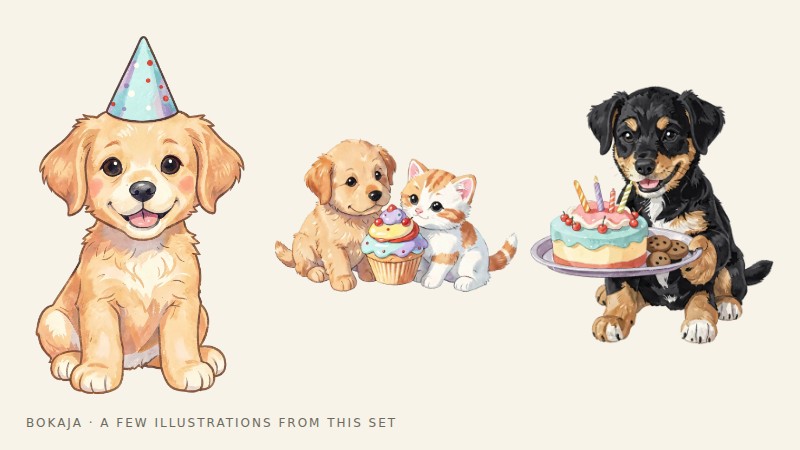
Puppy Birthday Bakery
Birthday artwork for a full-color sticker.
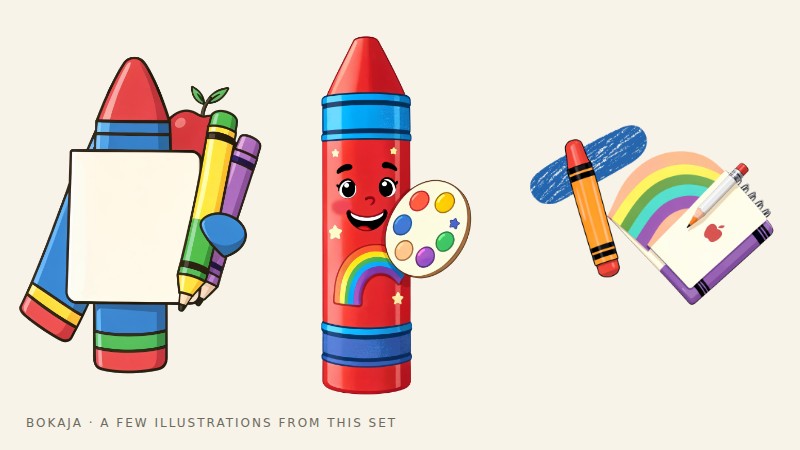
Rainbow Crayon Art Studio
Classroom artwork for printed reward stickers.
Worked example: a puppy party sticker and a vinyl name
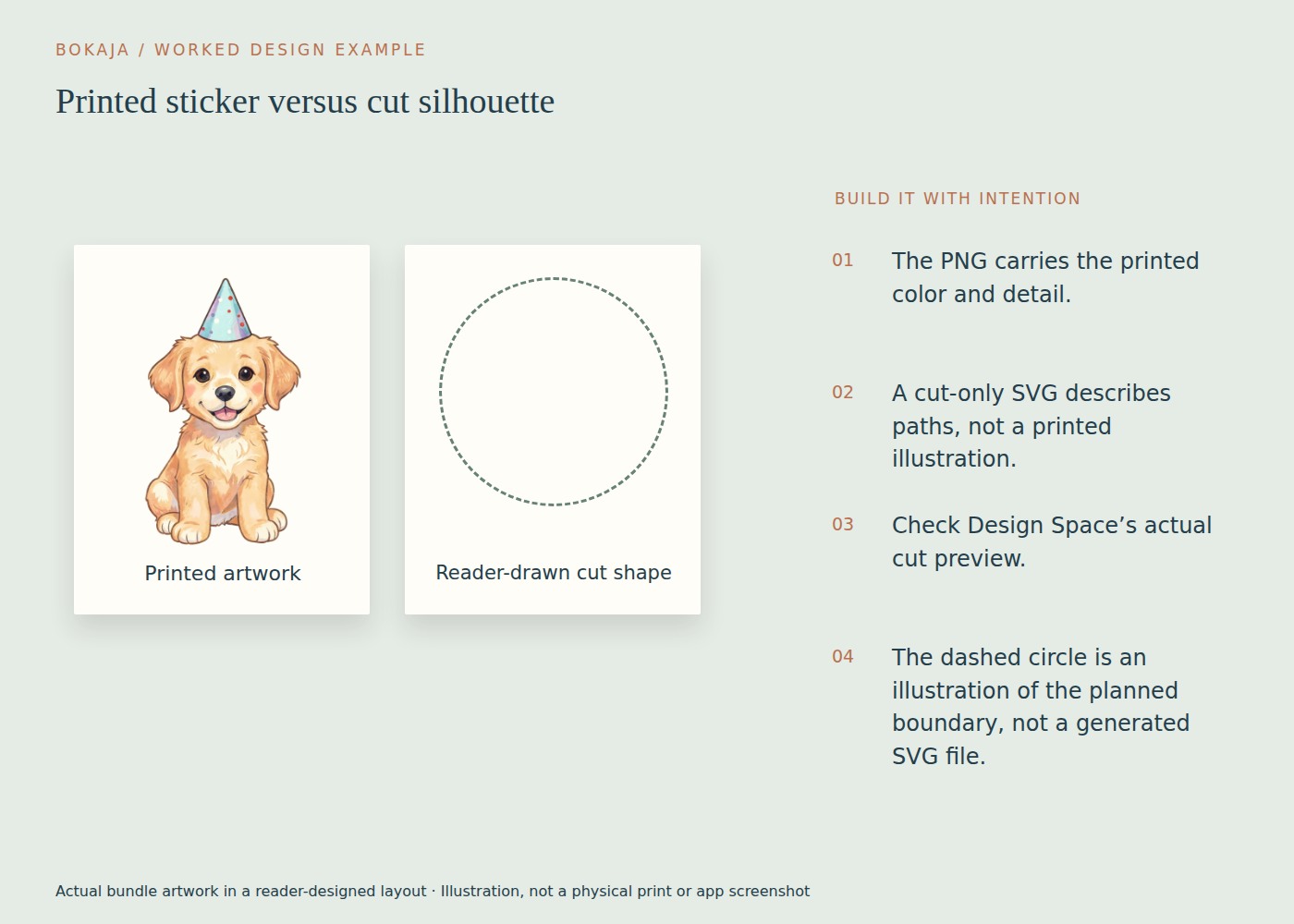
Imagine a party favor with two parts: a colorful 2-inch puppy illustration printed on sticker paper, and a single-color guest name cut from vinyl. They belong to the same project, but they should not be prepared as the same kind of file.
For the sticker, import a downloaded Puppy Birthday Bakery PNG as printed artwork. Add a simple backing shape if you want a solid sticker with an easy outer edge. Keep the complete sticker within your chosen 2-inch size, including its border. Prepare the composition for Print Then Cut and inspect the cut preview before printing.
For the name, type your own text using a font whose use rights fit the project. Make its letters into the cutting shapes required by your application, and check small counters and joins at the intended size. The puppy PNG does not supply editable lettering or separate colored vinyl layers.
A useful planning card is 4 × 3 inches: put the 2-inch printed sticker preview on the left and a simple reader-created silhouette on the right. Label the two routes “print color, then cut edge” and “cut material shape.” This makes the production difference visible before you buy materials.
If you trace the PNG: inspect what the trace actually produces. A threshold trace might keep only the darkest regions, creating holes through the face or losing pale details. Increasing the threshold may merge separate features into a blob. Neither outcome reproduces the original full-color art as editable vector illustration.
Choose a genuine vector design when the cut layers are the product you need. Choose the PNG when the printed detail is the point. Mixing both workflows in one finished favor is entirely practical; trying to force one file to perform both jobs is where unnecessary cleanup begins.
What the two formats contain
A PNG stores a rectangular grid of pixels and can include transparency. It can preserve shaded illustration, texture and many colors. Enlarging it beyond its useful resolution eventually exposes or softens those pixels.
An SVG describes vector shapes and paths. Simple vector artwork can be scaled without the same pixel-resolution limit. Its usefulness for cutting still depends on how it was built: tiny details, open paths, overlapping shapes or unsupported features can create a poor craft file.
Neither extension guarantees a clean design. A PNG may have a white background, and an SVG may contain an embedded raster image rather than useful editable cut paths. Read the file description and inspect what the application actually imports.
Pick the workflow that matches the object
| Finished object | Sensible starting point |
|---|---|
| Full-color illustrated sticker | Transparent PNG in a compatible Print Then Cut workflow |
| Detailed printed cupcake topper | PNG for the artwork, with a planned outer cut shape |
| Single-color adhesive-vinyl word | Clean vector cut paths, commonly supplied as SVG |
| Layered cardstock silhouette | SVG with separate, workable layers |
| Printable invitation cut by hand | PNG illustrations placed in a page layout |
In Print Then Cut, a compatible printer produces the printed sheet and the Cricut machine cuts it. The Cricut is not printing the illustration. Machine compatibility, material and supported sizes vary, so check the current Design Space instructions for your setup.
Why conversion is not a magic upgrade
Saving a PNG inside an SVG container does not turn its pixels into editable vector artwork. Automatic tracing attempts to infer shapes from the image. It may work reasonably for a simple high-contrast silhouette, but it can create many paths around shadows, textures and antialiased edges.
If you try tracing, inspect the result at the final physical size. Remove stray shapes, check small gaps and test whether the material can survive the detail. A path that looks elegant on screen may be too thin for the blade or too fragile after cutting.
For complex illustrations, keep the PNG and choose a printed workflow instead of treating tracing as a mandatory step.
Check the file before committing to the layout
For a PNG, verify transparency over a colored background and calculate effective PPI at the intended size. For an SVG, inspect the imported layers, dimensions and operation types. In either case, look at the actual cut preview rather than relying on the thumbnail.
Keep the original file separate from your project document. If an import behaves unexpectedly, you can return to a clean source instead of repeatedly exporting a modified copy.
The PNG transparency guide helps with raster checks. The Canva versus Cricut guide explains when a layout application and a cutting application belong in the same project.
Check rights as well as compatibility
File format does not determine commercial permission. An SVG may be personal-use only; a PNG may permit some finished physical products. Read the actual licence for your source and intended use.
Your next step
Choose the output route before importing more artwork: a detailed printed sticker needs different preparation from a material-cut name. Build and inspect one of each before batching the favor.
Start with Puppy Birthday Bakery, or choose Rainbow Crayon Art Studio for the alternative theme described above. These collections supply PNG illustrations for your own layout; the project text and construction remain yours.
For commercial or shared deliverables, check the current artwork licence for the intended use.