Organize digital clipart so you can find the image, identify its licence and recover the untouched source without opening dozens of anonymous folders. A simple system you maintain is better than a complex tagging scheme abandoned after the first purchase.
Choose Storybook Pencil & Book Club for a classroom project archive, or Autumn Animal Leaf Pressing Club for a separate seasonal archive. Both are paid PNG artwork collections for layouts you design yourself; add your own text, shapes and measurements.
Make it with these Bokaja sets
Choose the style that fits your project. These are digital PNG artwork collections: add your own text and build the layout shown in this guide.

Storybook Pencil & Book Club
Book-club artwork for a classroom project archive.

Autumn Animal Leaf Pressing Club
Autumn artwork for a separate seasonal archive.
Worked example: archive one classroom project without losing its source
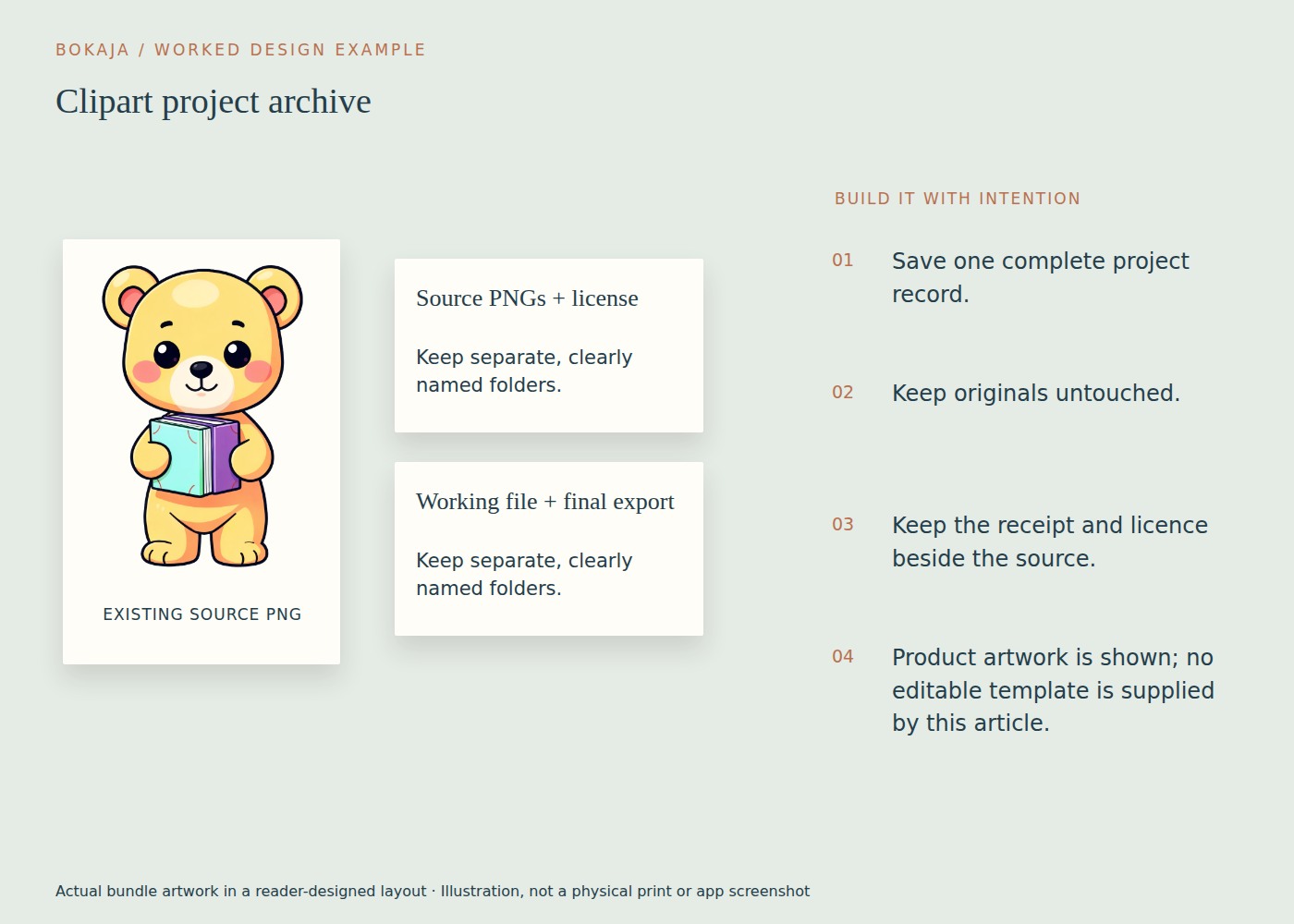
Take a reader-designed classroom label using the book-club collection. Keep four distinct things: the untouched purchase, the working layout, the final export and the rights record. Use a naming system that connects them without copying every source PNG into every project.
A practical project folder can contain:
- Sources.txt: exact product title, product URL and the original PNG filename you actually used.
- Working: the editable label document with its dimensions and text.
- Exports: the approved print PDF or PNG, clearly distinguished from proofs.
- Rights: the receipt, supplied README and a dated record of the applicable licence.
- Production.txt: finished size, paper, print scale and any useful proof notes.
These are suggested folders and records you create, not filenames promised inside the purchased bundle. Keep the original download in a separate pack archive and refer to it from Sources.txt. If you rename a working copy for convenience, preserve the original filename in the record so you can find it again.
For the label, record 3 × 1.5 inches and, if using a 300-PPI raster export, 900 × 450 pixels. Add the exact placed illustration size if transparent padding made that important. A later replacement then has a measurable recipe rather than only a thumbnail.
Create a small 6 × 4-inch personal reference card showing the finished label and a plain text source reference. It can help you browse your own archive, but keep it private if it contains licensed source previews or personal classroom information. Do not put source PNGs into customer download folders as an organizational shortcut.
Test recovery by opening the project from its saved location and locating the untouched source and licence record. If a cloud shortcut breaks or a working file refers to a temporary download folder, repair the reference now. A folder system is only useful if it can reconstruct the project when your memory cannot.
Give each purchase or pack a stable home
Create one folder per acquired pack. Use a name containing the creator or shop, a short pack name and the acquisition date. For example: 2026-09-08_Bokaja_Classroom-Sample.
Inside it, keep the original downloaded files and the accompanying README or licence information. Do not rename every source image immediately if the original names help identify the listing or resolve a support question.
If the download arrives as individual PNGs rather than an archive, the same rule applies: collect the actual files into the pack folder and retain their provenance.
Record the licence where you can find it
Save the product URL, acquisition date, receipt where applicable and the licence or README supplied with the pack. If a seller gives written clarification for a particular use, store it with that record.
At Bokaja, the current public licence is a useful reference, but a product page may specify an exception. Keep enough information to identify what applied to the actual acquisition and intended use.
Do not label a folder simply “commercial” and assume that ends the question. A licence may permit finished physical goods while restricting digital redistribution, asset-library uploads or other uses.
Create a lightweight search index
A small spreadsheet or note can contain pack name, creator, subject tags, local folder, product URL and a brief licence note. Use a few consistent tags such as classroom, woodland, birthday or food.
Avoid adding twenty near-synonyms to every pack. The index should help you find an asset, not become a second project that needs constant maintenance.
If you create thumbnail contact sheets for your own organization, keep them with the private source collection. Do not upload source previews or artwork to a public service unless the licence and your privacy requirements permit it.
Link projects back to their sources
In each project folder, keep a short note listing the pack and filenames used. Record the intended output, finished dimensions and any production settings that proved useful.
For example, a label project might note the source image, 3 × 1.5-inch finished size, paper type and approved print scale. That makes a later replacement easier than searching by memory for “the blue classroom picture.”
Keep the final export clearly named with its purpose and version, such as bin-labels_print_v03.pdf. Avoid relying on a chain of “final,” “final2” and “final-new” filenames with no date or explanation.
Make duplicates deliberate
A project may need a working copy of an image, but the original pack should remain the reference source. If storage allows, this is often simpler than moving files between projects and breaking links.
Do not delete apparent duplicates solely because the thumbnails look alike. Different files can have different dimensions, transparency, revisions or licence provenance. Compare the relevant information before cleaning up.
Use an archive folder for retired project versions if you want a less cluttered workspace without losing useful history. Keep deletion separate from ordinary organization decisions.
Protect and back up the collection
Use a backup method appropriate for the value of the files and your device. Confirm that both artwork and licence records are included, and occasionally test that a file can be restored.
A synced folder is convenient, but understand how deletions and overwrites propagate. It may not serve the same purpose as a versioned backup.
Follow licence terms when sharing access with collaborators. A public folder or unrestricted team library can redistribute source files even if you did not intend to sell them.
Add new packs through the same short routine
The reward is practical: less time hunting for files, fewer accidental exports of source assets, and a clearer record of what you can use for the next project.
Your next step
Archive the next purchase through the same short routine: source, rights record, index and backup. Keep customer deliverables separate so an organized folder never becomes accidental source-file sharing.
Start with Storybook Pencil & Book Club, or choose Autumn Animal Leaf Pressing Club for the alternative theme described above. These collections supply PNG illustrations for your own layout; the project text and construction remain yours.