School lunchbox printables work best when every piece has one clear job. A cheerful picture can make a note or label easy to spot, but adults still need to control the names, food details, instructions, and privacy decisions.
Choose a small lunchbox visual system
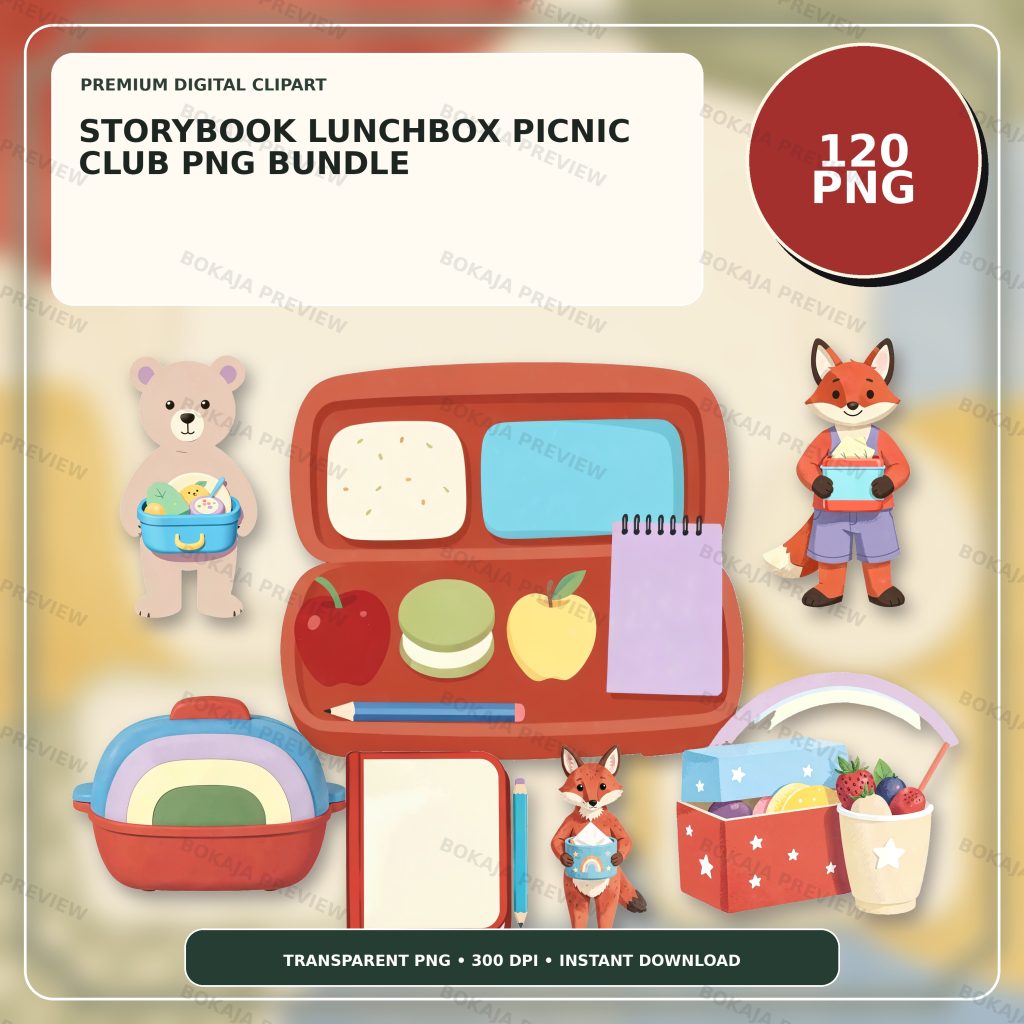
The Storybook Lunchbox Picnic Club PNG Bundle is a live, purchasable digital product with 120 transparent PNG graphics at 3072 × 3072 px and 300 DPI metadata. Its original artwork centers on a rounded apple lunchbox and coordinated picnic props without readable text, logos, or known characters.
These PNG files are decorative source material. They are not editable lunch templates, meal plans, nutrition advice, allergy records, medical alerts, or a food-safety system. Add every name, date, ingredient note, and instruction as live text in Canva or another layout tool.
Choose one lunchbox graphic for headings and one or two smaller props for repeated markers. A compact visual vocabulary leaves more room for readable words. The classroom labels and teacher stickers tutorial explains why a label should be designed around its actual job and viewing distance.
School-lunch printable matrix
| Printable | Practical job | Useful material or format | Editable or safety requirement |
|---|---|---|---|
| Lunchbox note | Share a short personal message | Small paper card | Keep the recipient name and message editable |
| Container label | Identify an owner or general contents | Removable label | Do not imply the label makes a container food-safe |
| Snack-choice card | Show adult-approved options | Laminated card | Adults must verify the current options and restrictions |
| Packing prompt | Remind an adult or older pupil what to check | Reusable checklist | Keep it separate from medical or allergy instructions |
| Picnic-place card | Mark a seat or group place | Folded card | Use only the minimum personal information permitted |
| Reusable reminder | Prompt a non-medical routine step | Wipe-clean card | Avoid claims about temperature, hygiene, or nutrition |
This matrix is a project planner, not a recommendation that every family or classroom needs all six pieces. Select only the printables that support an existing adult-approved routine.
Make lunchbox notes easy to read
Write the message before choosing the illustration. A short note such as “Have a good afternoon” or “See you after school” leaves room for larger type and a calm layout. Place the lunchbox graphic beside the words instead of behind them.
If the note uses a pupil’s name, follow the family or organization’s privacy rules. Do not photograph or publish examples containing private child information. Keep an editable master separate from the exported print page so a spelling or message can be changed without rebuilding the design.
Print one note at 100 percent scale. Check the type under normal indoor light and make sure decorative details do not crowd the words. The Canva for beginners guide covers text layers, spacing, transparent PNG placement, and export checks.
Keep container labels factual
A container label can identify an owner, a broad item such as “snack,” or a packing date when that is appropriate. It should not claim that the container, ink, laminate, or adhesive is suitable for direct food contact, a dishwasher, microwave, freezer, or any particular temperature.
Apply labels only according to the container and label-material instructions. Keep the printable away from direct contact with food unless the selected materials are specifically approved for that use. Adults remain responsible for cleaning, storage, temperature control, ingredients, allergens, and school policy.
If food details must appear, type them clearly and verify them from a responsible source. Decorative icons should never replace required words. A picture of an apple, for example, does not prove that an item contains or is free from any ingredient.
Build snack-choice cards around adult-approved options
A snack-choice card can show a small set of options that an adult has already checked. Use editable words plus optional pictures, and update the card whenever the available items or restrictions change.
Do not use a generic card as a medical, dietary, or allergy plan. Those records and instructions belong in the official system used by the family, school, camp, or care provider. If the card is intended for a group setting, confirm the wording and placement with responsible staff before printing it.
Color may support the layout, but color should not be the only cue. Pair any color coding with readable words or another clear symbol.
Turn packing prompts into simple checks
A packing prompt should focus on ordinary, non-medical actions: add the lunchbox, include the approved drink, pack the reusable utensil, or return the ice pack when the responsible adult has chosen those steps.
Keep each line short and leave a visible check area. If the prompt is reused, test a wipe-clean material and pen combination away from food. A decorative checklist does not verify that food has been stored at a safe temperature or packed according to a person’s dietary needs.
For younger children, an adult should complete or supervise the check. For an organization, the official process must take priority over the printable.
Use picnic-place cards with minimum information
A folded place card can mark a table, group, or first name when the setting allows it. Put the essential text on a plain area and use one small picnic prop at the edge.
Do not add addresses, phone numbers, medical details, detailed schedules, or unnecessary full names. If cards will be visible in photographs or a public area, use a stricter privacy test. Confirm the name format and display rules before printing the full set.
The PNG transparency and quality guide explains how to check image edges and backgrounds before placing artwork on a contrasting paper color.
Lunchbox printable production checklist
- ☐ Choose only the pieces needed by the real lunch routine.
- ☐ Write every name, message, and instruction as editable text.
- ☐ Keep medical, allergy, nutrition, and food-safety records in the official system.
- ☐ Use only the minimum personal information allowed.
- ☐ Select one main lunchbox graphic and two small supporting props.
- ☐ Keep essential words separate from decorative artwork.
- ☐ Do not imply that a label changes container or material safety.
- ☐ Follow container, adhesive, laminate, printer, and school instructions.
- ☐ Print one note and one label at 100 percent scale.
- ☐ Check text under normal lighting.
- ☐ Keep private information out of public photos and previews.
- ☐ Save an editable master separately from the print-ready export.
- ☐ Review the Bokaja digital product license before selling permitted finished physical items.
A soft product example
Product example: Use one apple lunchbox graphic on the heading of a packing prompt, a small picnic prop on each lunch note, and a quiet border on place cards. The Storybook Lunchbox Picnic Club PNG Bundle supplies a coordinated visual library while all names, food details, and instructions remain editable and controlled by the user.
The product is digital; no physical notes, labels, cards, or containers are shipped. Its attached order-download PDF contains the download link for the ZIP package. See Digital Downloads and Refunds for current access and support information.
Related Bokaja tutorials
- School Bus Morning-Routine Printables
- How to Make Classroom Labels and Teacher Stickers
- How to Use Canva for Beginners
- How to Check PNG Transparency and Quality
- Canva vs Cricut for Transparent PNG Files
FAQ
Are these PNG graphics editable lunchbox templates?
No. They are transparent PNG graphics. Build names, messages, packing steps, and any adult-approved food wording as separate editable text in your layout software.
Can a decorative label show allergy information?
Do not use a generic decorative printable as the official allergy, medical, or dietary record. Follow the system approved by the family, school, camp, or care provider and verify all wording with a responsible adult.
Does adding a label make a container food-safe?
No. Follow the instructions for the container, printer, ink, adhesive, laminate, and cleaning method. A printable cannot establish suitability for direct food contact, dishwashers, microwaves, freezers, or temperatures.
Can I include a child’s full name on a place card?
Use only the minimum information allowed by the family or organization. Apply a stricter privacy check if the card may appear in photographs or public areas.
Can I sell finished lunchbox notes made with the graphics?
Review the digital product license first. Do not resell, share, upload, extract, or repackage the original PNG or ZIP files as digital assets.