A consistent classroom arrival system can make the first few minutes easier to follow without turning a wall into visual noise. The best school-bus morning-routine printables give each card one clear job, keep instructions editable, and avoid putting private pupil or transport details where they can be photographed or seen publicly.
Choose one visual system for the morning
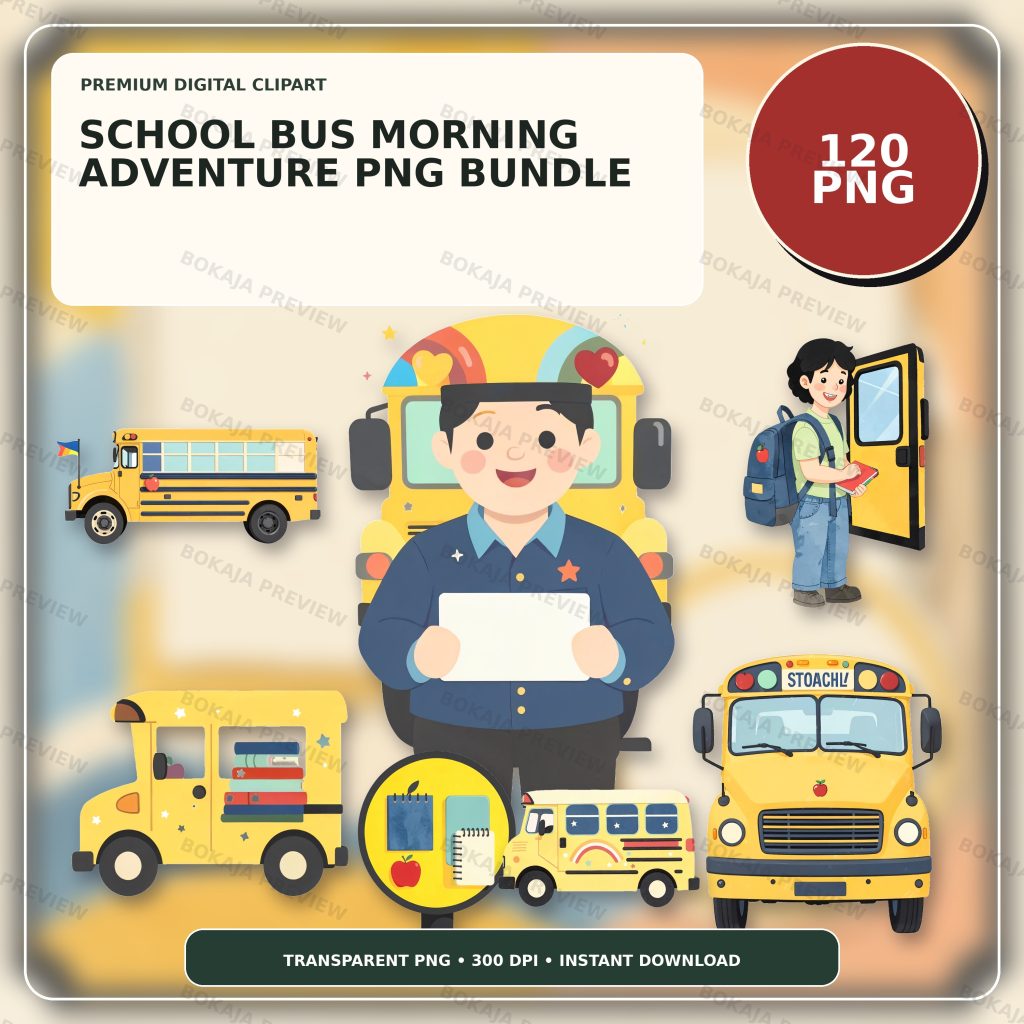
The School Bus Morning Adventure PNG Bundle is a live, purchasable digital product with 120 transparent PNG graphics. The artwork is 3072 × 3072 px with 300 DPI metadata and uses generic school-bus and coordinated school props without readable text, logos, or known characters.
These PNG files are decorative source material. They are not transport forms, attendance software, editable routine templates, or a substitute for school procedures. Build the names, choices, times, room numbers, and directions as live text in Canva or another layout tool.
Pick one bus graphic for headings and one smaller prop for repeated markers. A narrow visual vocabulary makes the set feel coordinated and gives the words more room. The broader classroom labels and teacher stickers tutorial explains why label size should be chosen from its viewing distance rather than from the size of the illustration.
Classroom-arrival printable matrix
| Printable | Morning job | Useful format | Editable or privacy requirement |
|---|---|---|---|
| Cubby card | Mark a storage place | Landscape card | Use only the name format allowed by school policy |
| Arrival-choice card | Show the first available task | Half-page or station card | Keep the task wording editable |
| Bus-line sign | Identify a staff-managed waiting point | Large sign | Do not add private route or child data for public display |
| Backpack tag | Help identify classroom belongings | Small laminated tag | Use the minimum information needed |
| Check-in token | Mark a completed arrival step | Small card or circle | Avoid treating it as official attendance data |
| Dismissal reminder | Prompt the next routine step | Quarter-page card | Staff must confirm the real dismissal procedure |
This matrix is a design planner, not a recommendation that every classroom needs every item. Select only the pieces that match the procedure already approved by the school, organization, or homeschool setting.
Build cubby cards for real viewing distance
Write the pupil identifier first and add the bus graphic second. Print one sample at 100 percent, place it on the actual cubby, and check it from the normal approach distance. If the text is difficult to read, reduce the artwork before reducing the type.
Do not assume a full name is appropriate. Some settings use first name plus last initial, a symbol, a number, or another system. Follow the organization’s privacy policy and do not publish classroom-name files or preview images that contain child data.
Keep an editable master file separate from the exported print page. That makes it possible to correct a spelling or update a room assignment without flattening the text into the artwork.
Make arrival-choice cards specific
An arrival-choice card should name one action: hang up a coat, place a folder in a tray, choose a quiet table task, or check the day’s board. A short verb-led instruction is easier to scan than a paragraph.
Use the same heading position and border on every card. Change only the instruction and perhaps one small supporting image. If the picture could be misunderstood, the words must carry the meaning. Color can support the sequence, but color should not be the only cue.
For a longer routine, number the cards with editable text and confirm that the order matches the real room flow. The Canva for beginners tutorial covers text layers, spacing, transparent PNG placement, and export checks.
Treat bus-line and dismissal pieces carefully
A friendly bus illustration can help identify a staff-managed waiting area, but a printable cannot verify that a child is in the correct place. Staff must use the official transport, attendance, and dismissal system.
Avoid putting home addresses, phone numbers, pickup permissions, detailed route information, medical details, or other sensitive data on a sign that visitors can see. If a route identifier is required, use the school-approved format and placement.
Dismissal reminders should prompt a step rather than claim authority. “Check the dismissal board” or “Wait for staff instruction” is safer than a card that attempts to assign transport. Confirm every phrase with the responsible adult before printing the batch.
Use backpack tags with minimum information
Backpack tags can carry a classroom symbol or a limited identifier. Place the essential text on a plain background and keep the school-bus artwork away from holes, clips, and trim lines.
Print one sample and attach it to the actual bag. Check whether it twists, folds, or hides the words during normal use. If the tag will leave the classroom, apply a stricter privacy test than you would for an indoor cubby label.
The PNG transparency and quality guide explains how to inspect edges and backgrounds before printing. A transparent source image still needs a real-size proof on the selected material.
Add check-in tokens without making attendance claims
A small token can mark a completed routine step, such as placing a folder in a tray or choosing the first activity. It should not become the sole official attendance record or a public comparison between children.
Use neutral language such as “ready,” “checked,” or “morning step complete” only when it matches the classroom’s routine. Explain directly what the token means, where it goes, and who resets it. The reading reward chart printables guide offers a related example of separating decorative graphics from progress information.
Morning-routine production checklist
- ☐ Confirm the existing arrival and dismissal procedure with responsible staff.
- ☐ Choose only the printable pieces the real routine needs.
- ☐ Write all names, instructions, and identifiers as editable text.
- ☐ Remove addresses, phone numbers, medical data, and unnecessary route details.
- ☐ Use one main bus graphic and one small repeated prop.
- ☐ Keep essential words outside decorative images.
- ☐ Check contrast without relying on color alone.
- ☐ Print one cubby card and test it at the actual viewing distance.
- ☐ Attach one sample backpack tag and check how it hangs.
- ☐ Keep cutting holes, clips, and trim lines away from text.
- ☐ Save an editable master separately from the print-ready export.
- ☐ Review the Bokaja digital product license before selling finished physical items.
A soft product example
Product example: Use one cheerful yellow bus on the cubby and arrival-choice headings, then repeat a small coordinated school prop on check-in tokens and dismissal reminders. The School Bus Morning Adventure PNG Bundle provides a consistent visual library while every name, instruction, and safety-related detail remains an editable text layer controlled by the user.
The bundle is digital; no physical signs or tags are shipped. Its attached order-download PDF contains the download link for the ZIP package. For current access and support information, read Digital Downloads and Refunds.
Related Bokaja tutorials
- How to Make Classroom Labels and Teacher Stickers
- Reading Reward Chart Printables
- Classroom Clipart Ideas for Teachers
- How to Use Canva for Beginners
- How to Check PNG Transparency and Quality
FAQ
Are these graphics editable morning-routine templates?
No. They are transparent PNG graphics. Build names, instructions, choice text, and approved identifiers in your layout software and keep that information editable.
Can I put a bus route and child address on a backpack tag?
Use only the minimum information allowed by the school or organization. Do not place private child, address, contact, medical, or detailed transport information on public-facing pieces.
Can a check-in token replace attendance?
No. A decorative routine token should not replace the official attendance or safeguarding process. Follow the system approved by the responsible organization.
Should every printable use the same size?
No. A bus-line sign must work at a greater viewing distance than a backpack tag or token. Choose size, contrast, and text load from each item’s actual job.
Can I sell finished classroom labels made with the graphics?
Review the digital product license first. Do not resell, share, upload, extract, or repackage the original PNG or ZIP files as digital assets.