An apple teacher folding a paper-airplane wing can make a classroom flight station easy to spot, but the illustration is not an aircraft design, engineering curriculum, measurement standard, tool instruction, or safety approval. Set the real learning activity first, keep every changing fact editable, and use the graphics only as a coordinated visual layer.
Build one coordinated flight station
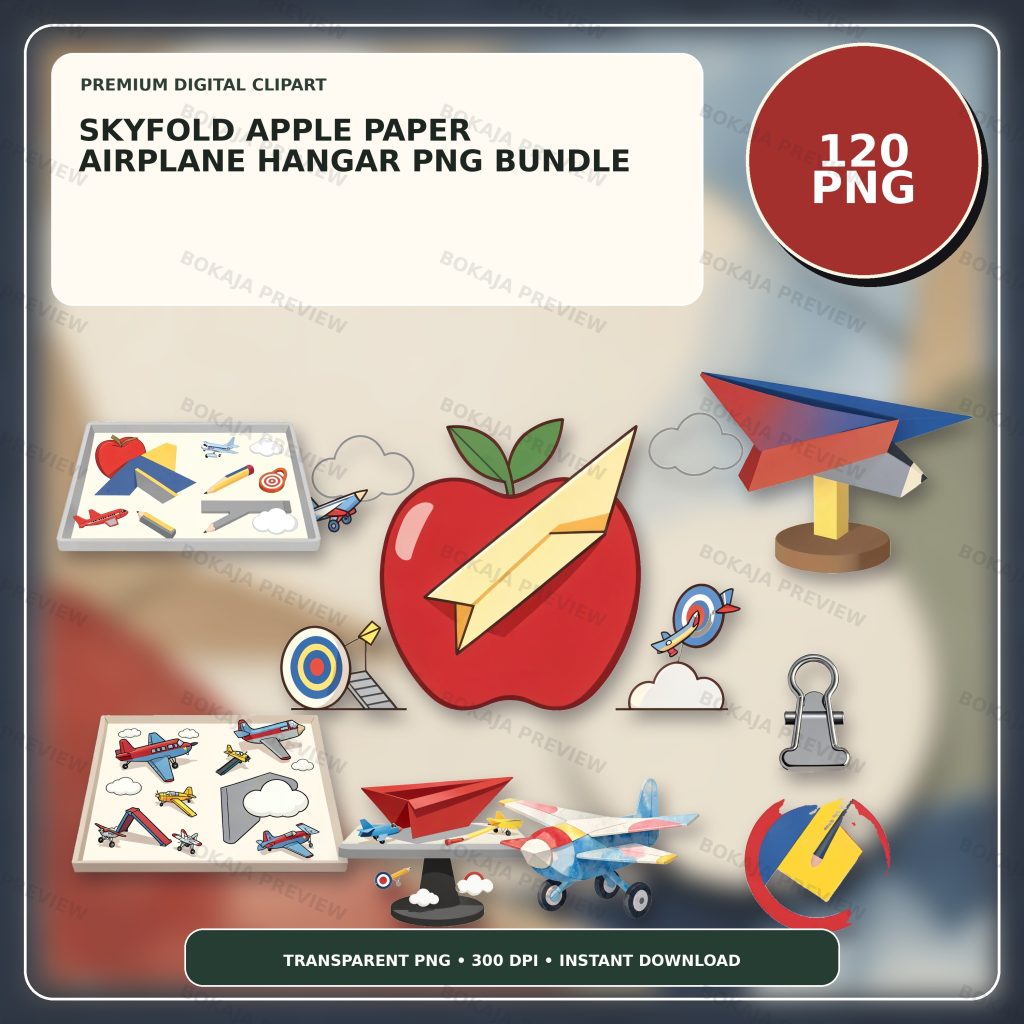
The Skyfold Apple Paper Airplane Hangar PNG Bundle is a live, purchasable digital product with 120 transparent PNG graphics at 3072 × 3072 px and 300 DPI metadata. Its original visual theme centers on an apple teacher folding a paper-airplane wing, with coordinated classroom, paper, flight, hangar, and engineering-challenge graphics.
The PNG files are decorative source material. They are not measured aircraft templates, fold diagrams, aerodynamics lessons, assessment tools, launch-zone approvals, tool instructions, age recommendations, accessibility plans, or supervision policies. Add practical information in Canva, Cricut Design Space, or another suitable layout tool as live text so it can be corrected when the learning objective, group, room, test method, or educator instructions change.
Choose one main apple-teacher image for the hangar sign and two or three quieter paper, wing, cloud, or measuring props for smaller pieces. A limited visual family makes the station recognizable while leaving space for predictions, measurements, observations, and reflection prompts.
Paper-airplane printable matrix
| Printable | Practical job | Editable facts | Responsible check |
|---|---|---|---|
| Design card | Record an approved design idea | Fictional design name, paper, prediction | Confirm the task and materials |
| Test label | Identify one trial | Trial code, launch condition, tester code | Check privacy and test consistency |
| Recording slip | Capture one observation | Distance unit, result, observation | Verify the measurement method |
| Hangar sign | Identify the activity station | Group, room, time, responsible adult | Confirm venue and schedule |
| Reflection ticket | Prompt a short conclusion | Evidence, change, next question | Match the learning objective |
| Display caption | Explain a finished example | Design facts, test scope, result | Avoid unsupported performance claims |
Each printable should do one clear job. Keep the complete lesson sequence, fold instructions, material rules, risk assessment, measurement standard, accessibility arrangements, and behavior guidance in the educator's approved source. A decorative result label should never be treated as proof that one design is universally best.
Define a fair and suitable test before layout
Collect the learning objective, responsible educator, approved paper types, folding instructions, permitted tools, launch direction, clear flight zone, start line, measurement unit, number of trials, retrieval rule, participation options, accessibility arrangements, cleanup steps, and support route. Confirm each detail against the current classroom plan and venue rules.
Decide what the activity can reasonably compare. One group may investigate how a single fold change affects distance. Another may simply practice recording observations. Avoid mixing different launchers, paper sizes, measurement units, or room conditions and then presenting the result as a scientific conclusion.
Do not infer from an illustrated airplane that a design is safe, accurate, stable, or suitable for a particular learner. Paper edges, fasteners, cutters, obstacles, crowded launch areas, and retrieval routes still need responsible review. The Prism Light Science Classroom Printables guide shows a related approach for separating decorative science imagery from verified activity instructions.
Keep measurements and prompts readable
Use strong headings, short labels, high contrast, and generous white space. Place the apple or paper-airplane art beside the wording rather than behind it. A hangar sign can use a larger illustration, while a recording slip needs a quiet grid for units and observations.
State the unit next to every result field and keep trial codes consistent. Use fictional learner codes in public examples. Keep names, support needs, behavior information, assessment records, and contact details out of visible printables and portfolio images.
Avoid unsupported phrases such as “best airplane,” “flies farthest,” “engineer approved,” “safe for every age,” or “complete STEM lesson.” Those claims depend on the exact design, materials, test conditions, learning objective, group, venue, and responsible guidance.
Make a final-size classroom proof
Pale paper, light clouds, and thin wing details can disappear on some home printers or colored cardstock. Make a low-ink version with one small graphic, dark live text, and a plain background. Print one hangar sign, design card, and recording slip on the intended printer and paper.
Check the smallest type, trial codes, unit labels, writing space, cut lines, folds, attachment points, and viewing distance. If using a cutter for labels or cards, test one sheet with the actual blade, mat, material, and software settings. The PNG transparency and quality guide helps catch unwanted backgrounds and soft edges before producing a class set.
Paper-airplane classroom checklist
- ☐ Confirm the responsible educator, learning objective, group, room, and schedule.
- ☐ Verify the approved paper, fold source, tools, launch zone, start line, unit, trial count, and retrieval rule.
- ☐ Keep design names, predictions, trial codes, measurements, prompts, and support details editable.
- ☐ Use consistent conditions and avoid claiming that a limited classroom test proves universal performance.
- ☐ Keep learner, assessment, medical, contact, and behavior information out of public examples.
- ☐ Confirm accessibility, privacy, permissions, tool handling, launch supervision, retrieval, and cleanup.
- ☐ Print the design card, test label, recording slip, hangar sign, reflection ticket, and display caption at final size.
- ☐ Review the Bokaja digital product license before selling permitted finished physical items.
A soft product example
Product example: Put the apple teacher and paper-airplane wing on the hangar sign, repeat smaller paper or cloud props on the design cards and reflection tickets, and keep the recording slips visually quiet. The Skyfold Apple Paper Airplane Hangar PNG Bundle supplies a coordinated visual library while the educator controls every learning objective, fold source, material, measurement, accessibility, privacy, and supervision decision.
The product is digital; no paper airplane, paper, ruler, lesson, worksheet, printed card, tool, or physical classroom item is shipped. After checkout, open the attached order-download PDF to access the download area ZIP package. Read Digital Downloads and Refunds for current access and support details.
Related Bokaja tutorials
- Surface Tension Classroom Printables
- Prism Light Science Classroom Printables
- Classroom Labels and Teacher Stickers
- Canva vs Cricut for Transparent PNG Files
- Bokaja Digital Product License
FAQ
Does the bundle include a measured paper-airplane template or full lesson?
No. It contains transparent PNG graphics. Build the cards, labels, and signs in suitable layout software, and use the responsible educator's current fold source, learning objective, materials, test method, and guidance for the real activity.
Does the artwork prove that one airplane design flies farther?
No. Decorative artwork cannot validate a design or a test result. Keep the paper, launcher, launch point, room conditions, measurement unit, and number of trials consistent before drawing a narrow conclusion from the activity.
Can these printables replace launch-zone, accessibility, or supervision planning?
No. Follow current venue rules, tool and material guidance, accessibility arrangements, privacy requirements, and qualified guidance where needed. Decorative printables cannot approve a launch area or supervise participants.
Can I sell finished flight-station cards made with the graphics?
Review the digital product license first. Permitted finished physical products are different from reselling, sharing, uploading, extracting, or repackaging the original PNG or ZIP files.