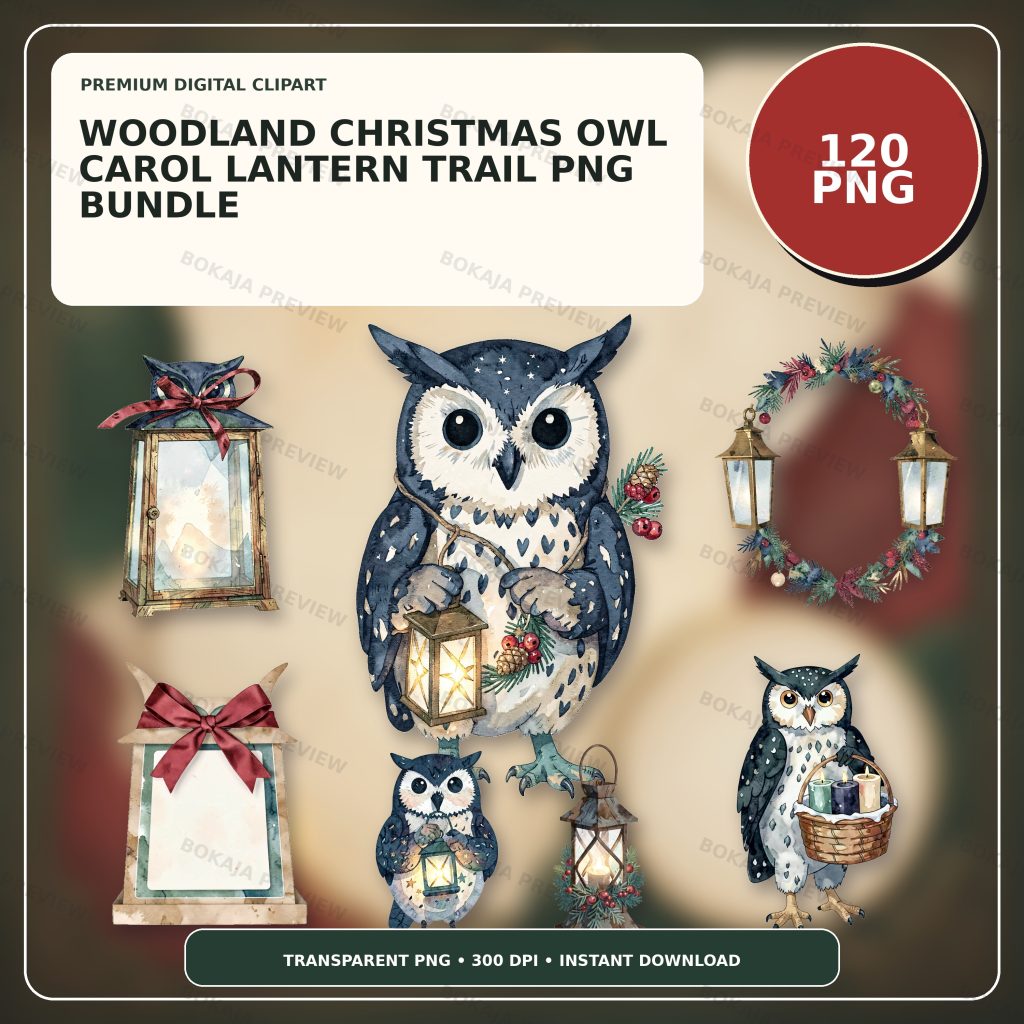
A friendly owl carrying a star-punched lantern can give a Christmas carol walk or woodland trail a consistent visual theme. It cannot approve a route, predict weather, provide lighting or fire instructions, grant music permission, confirm accessibility, or supervise participants. Plan the real activity first and keep every practical detail editable.
Build one clear trail-printable system
The Woodland Christmas Owl Carol Lantern Trail PNG Bundle is a live, purchasable digital product with 120 transparent PNG graphics at 3072 × 3072 px and 300 DPI metadata. Its original artwork centers on a friendly woodland owl carrying a star-punched trail lantern with coordinated holiday props. The files use isolated silhouettes without readable text, logos, known characters, or a complete scene.
These graphics are decorative source material. They are not route maps, event permissions, weather forecasts, emergency plans, electrical or fire instructions, accessibility assessments, music licenses, transport plans, or supervision systems. Add every actual route, time, contact, meeting point, instruction, and update as editable text in Canva, Cricut Design Space, or another suitable layout tool.
Choose one owl for the meeting sign, two or three small lantern or woodland props for repeated markers, and one simple border. Consistent art helps people recognize related pieces while leaving practical wording easy to read.
Carol and lantern-trail printable matrix
| Printable | Practical job | Editable facts | Responsible check |
|---|---|---|---|
| Route card | Summarize an approved route | Start, finish, stops, time, current instruction | Verify route permission and current conditions |
| Meeting-point sign | Identify an approved gathering place | Event name, time, organizer wording | Confirm placement, visibility, and accessibility |
| Song-order card | List an approved running order | Titles, order, leader notes | Verify accuracy and permissions where relevant |
| Lantern marker | Identify one planned location | Marker number or short direction | Check boundaries, lighting, and safe placement |
| Gift tag | Label an approved finished item | Recipient, contents, handling note | Protect privacy and verify contents |
| Return reminder | Share organizer-approved next steps | Finish time, return point, contact method | Use current information only |
Every piece should have one job. A route card cannot replace a real map, live briefing, accessibility plan, or emergency arrangement. A lantern marker should never invite someone into an unapproved, dark, inaccessible, or unsafe area.
Choose an indoor or outdoor plan first
An indoor school, library, hall, or home activity can use approved rooms, clear walkways, visible meeting points, venue-managed lighting, and a confirmed finish area. An outdoor route needs permission, a current weather decision, boundaries, suitable lighting, accessibility review, transport considerations, and a cancellation or relocation plan.
Do not improvise lantern construction, candles, electrical installation, cable routing, road crossing, crowd control, traffic separation, or structural support from a printable article. Use venue rules, equipment manufacturer instructions, local requirements, and qualified help where required. The responsible organizer must keep exits, paths, controls, safety equipment, and accessible routes clear.
For a related low-light craft-planning framework, see the Autumn Mushroom Lantern-Club Printables guide. Its emphasis on editable route details and representative-condition proofs also applies here.
Make route cards short and current
A route card should identify only an approved start, finish, planned stops, meeting time, and organizer instruction. Use a real map or official venue source when geographic detail matters. Never invent public access, opening hours, path conditions, transport service, or emergency information.
Plans can change because of weather, darkness, capacity, maintenance, accessibility needs, or local restrictions. Put the version date on organizer copies and define how participants receive current changes. A printed card should not be the only communication channel for a live event.
Use fictional locations and contacts in public mockups. Keep home addresses, participant names, phone numbers, live locations, access needs, child information, and private schedules out of public samples.
Keep song cards factual and readable
Use a song-order card only after the organizer has confirmed the program. Check titles, order, language, leaders, and any venue or music permissions that apply. This article does not grant performance, copying, lyric, recording, or distribution rights.
Keep lyrics or other copyrighted text off public templates unless the organizer has an appropriate basis to use it. A short approved title list may be enough for the practical job. Put the owl in a corner and use large, high-contrast type for the information people need while standing or walking.
Test markers in representative conditions
Print one meeting sign, route card, and marker at final size. View them from the planned distance in representative light without creating a trip, glare, fire, electrical, road, or access hazard. Check whether the smallest text, arrows, numbers, and boundaries remain visible.
Dark greens, browns, reds, and glowing-lantern colors can consume ink and reduce contrast. A low-ink version can use one small owl, a thin border, dark live text, and white space. For cut tags or markers, test the real printer, paper, cutter, blade, mat, attachment method, and software settings. The PNG transparency and quality guide helps identify unwanted backgrounds and soft edges.
Lantern-trail production checklist
- ☐ Confirm the responsible organizer, activity type, participants, date, time, and approved venue or route.
- ☐ Verify permissions, boundaries, weather decision, lighting plan, accessibility, and cancellation option.
- ☐ Follow venue and manufacturer instructions for lights, lanterns, power, attachments, and equipment.
- ☐ Keep routes, stops, times, titles, contacts, markers, and reminders editable.
- ☐ Verify song titles, program order, and any permissions that apply.
- ☐ Keep names, contacts, addresses, access needs, and live locations out of public samples.
- ☐ Keep exits, paths, controls, safety equipment, and accessible routes clear.
- ☐ Print one route card, sign, song card, marker, tag, and reminder at final size.
- ☐ Review the Bokaja digital product license before selling permitted finished physical items.
A soft product example
Product example: Use the lantern-carrying owl on the meeting-point sign, a small star or woodland prop on route cards and markers, and a restrained holiday detail on song cards, tags, and return reminders. The Woodland Christmas Owl Carol Lantern Trail PNG Bundle gives the system a coordinated visual library while the organizer keeps every route, time, title, permission, contact, and instruction editable.
The product is digital; no physical lanterns, signs, route cards, song cards, gifts, lights, equipment, or decorations are shipped. After checkout, use the attached order-download PDF to reach the ZIP package. Read Digital Downloads and Refunds for current access and support information.
Related Bokaja tutorials
- Gingerbread Bakery Party Printables
- Autumn Mushroom Lantern-Club Printables
- Canva vs Cricut for Transparent PNG Files
- How to Check PNG Transparency and Quality
- Commercial-Use Clipart License Guide
FAQ
Does the bundle include an editable route map or event templates?
No. It contains transparent PNG graphics. Build route cards, signs, song cards, markers, tags, and reminders in suitable layout software and add every practical detail as editable text.
Can these printables confirm that a route or lantern setup is safe?
No. The responsible organizer must verify permission, current conditions, lighting, accessibility, boundaries, equipment, emergency arrangements, and supervision using reliable current sources and qualified help where needed.
Can I copy song lyrics into the cards?
Only when you have an appropriate basis and permission to do so. This article and the clipart bundle do not grant music, lyric, copying, performance, recording, or distribution rights.
Can I sell finished route cards or gift tags made with the graphics?
Review the digital product license first. Permitted finished physical items are different from reselling, sharing, extracting, uploading, or repackaging the original PNG or ZIP files.