A friendly harvest mouse and a tiny loom can give a Thanksgiving craft station a warm folk-art look, but decorative artwork cannot verify materials, tools, age suitability, allergies, permissions, accessibility, or supervision. Build the real activity plan first, keep changing facts editable, and use the graphics only to coordinate the printable pieces.
Start with a six-piece workshop system
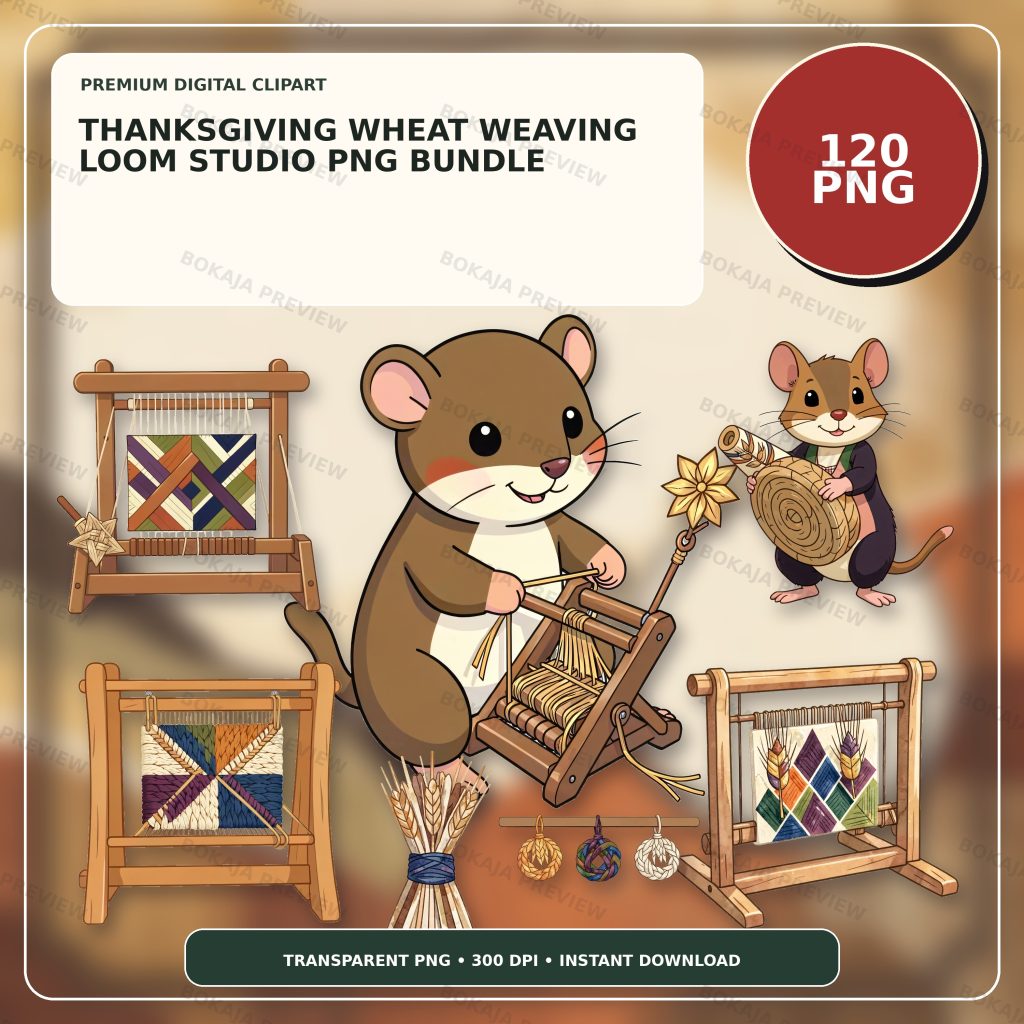
The Thanksgiving Wheat Weaving Loom Studio PNG Bundle is a live, purchasable digital product with 120 transparent PNG graphics at 3072 × 3072 px and 300 DPI metadata. Its original artwork centers on a friendly harvest mouse weaving wheat straw through a tiny wooden loom, with coordinated craft props and isolated complete silhouettes.
The PNG files are decorative source material. They are not weaving instructions, material specifications, tool rules, allergy records, fire guidance, accessibility plans, venue approvals, or supervision policies. Add all practical information in Canva, Cricut Design Space, or another suitable layout tool so it can be corrected without rebuilding the artwork.
Choose one mouse-and-loom image for the welcome sign, two or three smaller wheat or craft props for repeated labels, and a simple border. A restrained visual system leaves more room for instructions and makes the six pieces feel related.
Thanksgiving craft printable matrix
| Printable | Practical job | Editable facts | Responsible check |
|---|---|---|---|
| Workshop sign | Identify the approved activity | Name, date, time, location | Confirm schedule and venue permission |
| Material card | List the actual supplied items | Material names, quantities, warnings | Check packages and organizer records |
| Step card | Show organizer-approved steps | Current sequence and tool notes | Review against the real activity plan |
| Name tag | Identify a participant or sample | First name or fictional example | Protect privacy and approve placement |
| Display label | Describe finished examples | Maker, title, material note | Verify consent and factual wording |
| Take-home tag | Add an approved reminder | Care note, contact route, next step | Confirm suitability and support details |
Each piece should do one job. Avoid turning a small decorative card into a complete safety or instruction system. If the activity needs detailed guidance, place that guidance in the organizer's approved source and use the printable only as a clear pointer.
Write the real activity facts first
Before choosing fonts or colors, collect the event name, date, hours, room, responsible contact, actual materials, tool list, organizer-approved steps, age guidance, accessibility arrangements, cleanup plan, and take-home instructions. Confirm those facts with the person responsible for the activity.
Do not assume that a decorative wheat graphic identifies real wheat straw, a food-safe material, a low-allergen activity, or an authentic weaving method. Paper strips, raffia, yarn, natural fibers, adhesives, scissors, frames, and samples can all require different handling. If a material or instruction is uncertain, ask the organizer and avoid guessing.
Use fictional names in public examples. Keep medical details, contact data, attendance records, and private support needs out of visible name tags or portfolio images. The Canva for beginners tutorial shows how to keep wording editable while arranging transparent PNG artwork.
Keep steps readable and changeable
A practical step card uses short numbered instructions, one action per line, strong contrast, and enough white space for quick scanning. Put the harvest mouse beside the heading instead of behind the wording. If several age groups or tool setups use different steps, make separate cards rather than hiding exceptions in tiny text.
Decorative graphics cannot demonstrate a real technique or approve a tool. Follow the current activity plan, product packaging, venue requirements, and qualified guidance where needed. Keep exits, walkways, controls, and accessible work areas clear, and place tools according to the responsible organizer's rules.
Prepare a low-ink final-size proof
Warm wheat, wood, cream, and brown artwork can lose contrast on kraft paper or a home printer. Make a low-ink version with one small graphic, dark live text, and a plain background. Print one workshop sign and one small card on the intended printer and paper.
Check the smallest type, numbered steps, cut lines, folds, attachment points, viewing distance, and whether the intended cutter changes thin edges. Test one sheet using the real printer, paper, blade, mat, and software settings. The PNG transparency and quality tutorial helps identify unwanted backgrounds and soft edges before a batch is produced.
Wheat-weaving printable checklist
- ☐ Confirm the responsible organizer, activity name, date, hours, room, and approved participant group.
- ☐ Verify every material, tool, quantity, warning, and step against the real setup.
- ☐ Keep names, times, materials, steps, age notes, and support details editable.
- ☐ Keep medical, contact, attendance, and other private information out of public examples.
- ☐ Confirm permissions, accessibility arrangements, supervision, cleanup, and venue rules.
- ☐ Use one main mouse-and-loom graphic and a limited family of craft props.
- ☐ Print the sign, material card, step card, name tag, display label, and take-home tag at final size.
- ☐ Review the Bokaja digital product license before selling permitted finished physical items.
A soft product example
Product example: Place the harvest mouse and loom on the workshop sign, repeat a small wheat or thread prop on material and step cards, and use a quiet detail on display labels and take-home tags. The Thanksgiving Wheat Weaving Loom Studio PNG Bundle supplies a coordinated visual library while the organizer keeps every material, step, name, time, tool note, and instruction editable.
The product is digital; no loom, wheat, paper, fiber, tool, printed sign, tag, or finished craft is shipped. After checkout, open the attached order-download PDF to access the download area ZIP package. Read Digital Downloads and Refunds for current access and support information.
Related Bokaja tutorials
- Autumn Animal Leaf-Pressing Club Printables
- Autumn Fox Knitting-Club Printables
- How to Use Canva for Beginners
- Canva vs Cricut for Transparent PNG Files
- How to Check PNG Transparency and Quality
FAQ
Does the bundle include editable weaving templates or instructions?
No. It contains transparent PNG graphics. Build workshop signs, cards, tags, and labels in suitable layout software, and use instructions approved for the real materials and activity.
Can the wheat artwork confirm that real wheat or another fiber is suitable?
No. Verify the exact material, packaging, tool setup, participant needs, venue rules, and organizer guidance. An illustration does not establish material identity, safety, or suitability.
Can these printables replace supervision or tool guidance?
No. Follow the responsible organizer's activity plan, current product instructions, venue requirements, and qualified guidance where needed. Decorative printables cannot approve tools or supervise participants.
Can I sell finished signs or tags made with the graphics?
Review the digital product license first. Permitted finished physical products are different from reselling, sharing, uploading, extracting, or repackaging the original PNG or ZIP files.