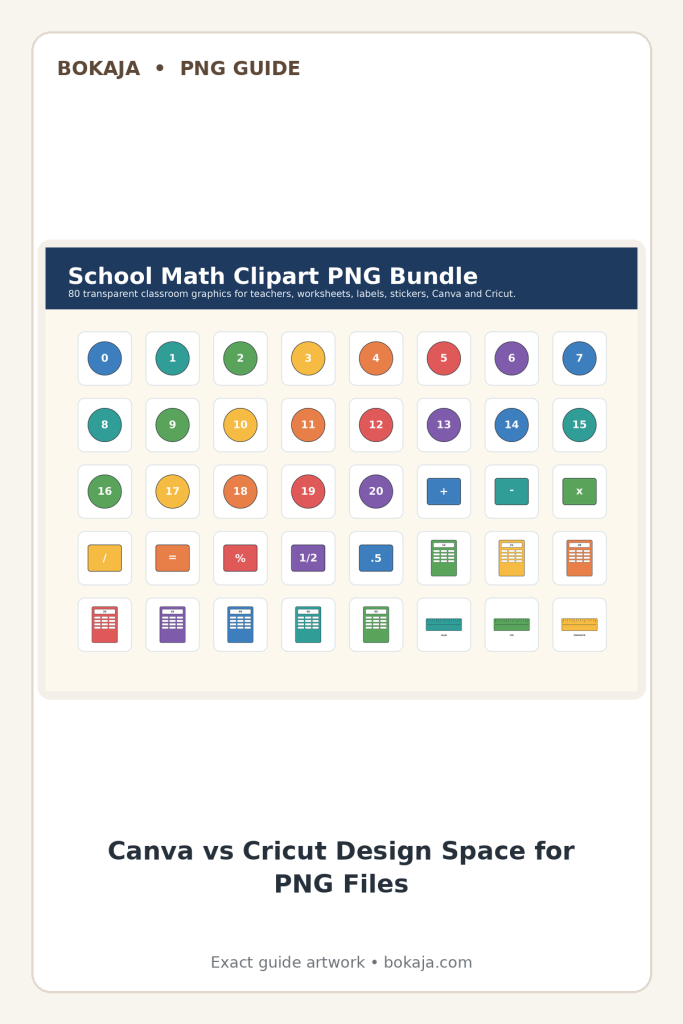
Transparent PNG clipart works in both Canva and Cricut, but the best workflow is different for each tool. This guide turns the latest Bokaja SEO research into a simple creator checklist: clear answers first, useful steps, file-quality checks, license clarity, and safe internal links.
Use Canva when you need fast printable layouts, invitations, labels, planners, and classroom pages. Use Cricut when you need Print Then Cut stickers, toppers, tags, and shaped paper projects. In both tools, start with a clean transparent PNG, keep the design readable at final size, and check the license before sharing finished products.
Canva vs Cricut: which one should you use?
| Use case | Best tool | Why |
|---|---|---|
| Invitations, flyers, classroom sheets | Canva | Fast layout controls and easy PDF export. |
| Sticker sheets and cut labels | Cricut | Print Then Cut keeps shapes and edges controlled. |
| Party signs and planner pages | Canva | Better for text, alignment, and repeatable templates. |
| Cupcake toppers and favor tags | Cricut | Cut settings help create finished physical pieces. |
Canva workflow for transparent PNG clipart
- Create the design at final size before adding artwork.
- Upload the PNG and keep one main visual focus per design.
- Add text with high contrast and enough spacing.
- Use safe theme clusters such as fairy party printables, Roman classroom visuals, or zen/wellness planners.
- Export a test PDF or PNG before making a full set.
Cricut workflow for transparent PNG clipart
- Upload the PNG as a complex image so the edges stay clean.
- Use Print Then Cut for stickers, labels, tags, and toppers.
- Flatten text and artwork only when the layout is final.
- Leave margin around small details so the cut does not remove important artwork.
- Test one sheet before printing a full batch.
File-quality checklist
- Transparent background is preserved.
- Edges look clean at the final printed size.
- Text remains readable when printed.
- Artwork is not stretched or pixelated.
- The theme is original-safe and avoids protected characters.
- The license supports the intended finished project.
How this supports Bokaja SEO
The latest research pointed to direct-answer content, internal links around safe product lanes, image context, clean trust signals, and practical tutorials. This post supports those signals without hard checkout language while the product ZIP files are still being prepared.
Related Bokaja guides
- What is Bokaja chibi PNG clipart?
- Fairy PNG party printables guide
- Roman history classroom printables
- Canva beginner guide
- Cricut beginner projects
License and download note
Bokaja PNG files are for personal projects and allowed finished projects under the license. Do not resell, share, upload, extract, or repackage the source PNG files as digital assets. Read the digital product license and download policy before using files in a project you plan to share or sell.
FAQ
Is PNG better for Canva or Cricut?
PNG works in both. Canva is better for layout-heavy printables; Cricut is better when the final project needs shaped cutting.
Do transparent PNGs print with a background?
No. Transparent areas show the paper or background layer behind the design.
Can I sell finished items made with PNG clipart?
Only if the product license allows that specific finished use. Do not redistribute the original PNG files.
What should beginners check first?
Check image resolution, transparent background, final print size, text readability, and license terms before producing a full batch.
Project planning notes
- Check the Bokaja digital product license before using artwork in shared, classroom, or small-shop projects.
- Review the download and refund notes so file delivery and support expectations stay clear.
- Browse the Bokaja shop catalog when you need transparent artwork for a draft layout.
Turn one transparent PNG into a Canva or Cricut workflow
Start with artwork from PNG Sets or the Bokaja shop, then test the same transparent PNG in a Canva layout and a small Cricut-style project mockup. For next steps, compare the Canva beginner workflow, the beginner Cricut project guide, and the digital product license plus download and support notes.