This Bokaja guide was refreshed after the latest SEO review so it is more practical, safer, and easier to understand. The goal is simple: help creators use transparent PNG clipart in useful Canva, Cricut, classroom, party, planner, and craft projects without risky shortcuts or unsupported claims.
Use transparent PNG clipart for practical Cricut projects that are easy to test: stickers, labels, toppers, tags, cards, planners, and classroom pieces.
Best use cases
- Sticker sheets
- Cupcake toppers
- Favor tags
- Classroom labels
- Planner tabs
Step-by-step workflow
- Pick one project goal before choosing artwork.
- Use original-safe themes and avoid protected characters or confusing brand references.
- Place the PNG in Canva, Cricut, a planner app, or your preferred design tool.
- Keep text readable and leave enough margin for printing or cutting.
- Export or test one sample before creating a full batch.
Quality checklist
- The PNG has a transparent background.
- The design stays sharp at final size.
- The page has one clear visual focus.
- The article links to related guides instead of repeating thin content.
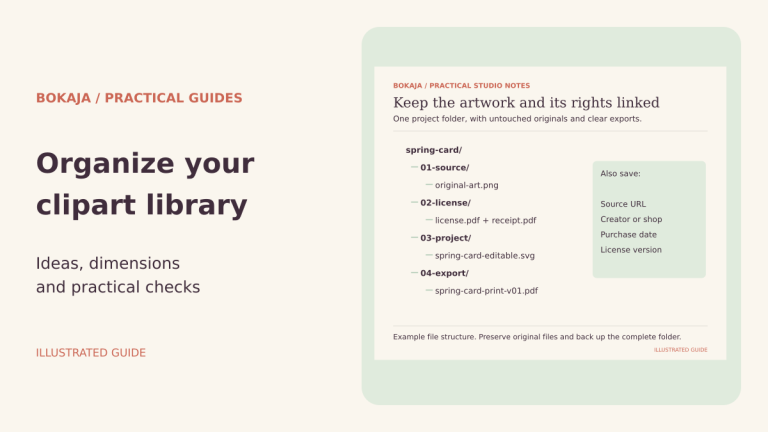
- The license is checked before any shared or finished product use.
Safe Bokaja theme ideas
Current safe content lanes are fairy party printables, Roman history classroom resources, zen and wellness printables, general chibi PNG explanations, Canva workflows, and Cricut beginner projects.
Related Bokaja guides
- What is Bokaja chibi PNG clipart?
- Fairy PNG party printables guide
- Roman history classroom printables
- Canva beginner guide
- Cricut beginner projects
License and download note
Bokaja PNG files are for personal projects and allowed finished projects under the license. Do not resell, share, upload, extract, or repackage the source PNG files as digital assets. Read the digital product license and download policy before using files in a project you plan to share or sell.
FAQ
Can beginners use transparent PNG clipart?
Yes. Start with a simple project such as labels, stickers, cards, classroom signs, planner icons, or party tags.
Can I use these ideas for finished products?
Only when the license allows the finished use. The original PNG files should not be shared, resold, uploaded, or repackaged.
Why was this post updated?
The old version was too thin or too sales-focused. This refreshed version follows a safer tutorial-first SEO strategy.
What should I read next?
Start with the Canva vs Cricut workflow guide, the Bokaja explainer, and the fairy or Roman printable tutorials.
Cricut project planning checklist
Before choosing a Cricut printable idea, keep the test small and check the practical details that affect the finished item.
- Test the artwork at final size before cutting a full sheet.
- Use transparent PNG files when the design needs clean edges in Canva or Design Space.
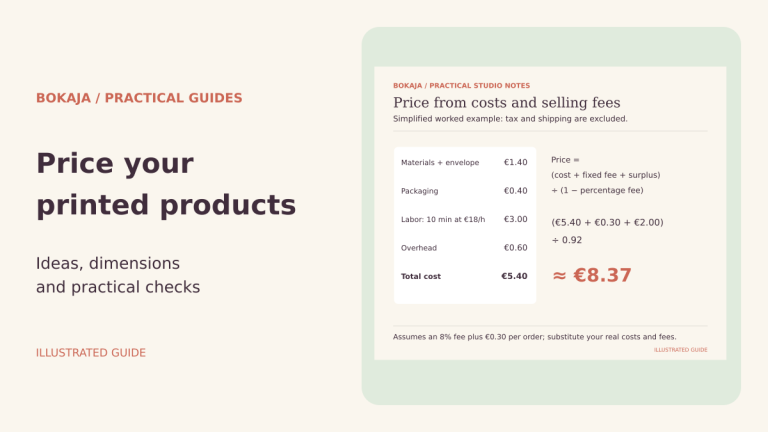
- Compare material cost, print time, and packaging time before making several copies.
- Keep a proof copy for color, edge, and readability checks.
- Review the digital product license before sharing or selling finished physical items.
- Check download and support notes if you need help with a file.
FAQ
Which Cricut projects are easiest to test first?
Small stickers, favor tags, labels, planner accents, and cupcake toppers are usually easier to test because they need fewer materials and can be checked quickly.
Do transparent PNG files work for Cricut Print Then Cut?
Yes. Transparent PNG files are useful for Print Then Cut layouts because the artwork can sit cleanly on labels, sticker sheets, and printable decor.
Can I use Bokaja clipart in finished physical items?
Finished physical items may be allowed when the use follows the Bokaja license. Do not resell, share, upload, or repackage the original PNG files as digital assets.
Related Bokaja Project Guides
Keep planning with these safer Bokaja guides and policy pages: